
Hi, I’m Kane, founder of Linkly AI. Today I’m proud to share Linkly AI v1.0, the first official release of our context management tool.
Illustrations have been localized from the original screenshots.
Six months to ship 1.0
In the age of vibe coding, we did something a little out of step. While software is turning into something you use for a week, or even a day, and then toss, we spent six months polishing one release.
For those six months, two teammates and I shipped a new version almost every week. Together with a few thousand early users, we slowly turned a rough product (just a search box and 4 MCP tools) into an early version of a personal context hub.
Then, a month ago, with 1.0 pretty much ready, I called off the launch.
Why we started
Linkly AI came out of something I really wanted last year. The more I used AI tools, the more I wanted them to read the notes and files I’d collected over more than ten years, with no friction. The other reason was my wife. During her PhD, she spent every day digging through, reading and comparing tens of gigabytes of PDFs and media files. ChatGPT and every other AI tool at the time fell short. She needed something that could simply keep all that material in order, and find the right section when the AI needed it.
So in February this year we started building Linkly AI, and shipped the first demo in March. Since then we’ve kept up a weekly release pace, filling in each step of knowledge management: capture, organize, use. And it’s easy for agents to use, too.
A bumpy road
What should a context tool built around your files actually look like? We were figuring it out as we went.
At first I wondered if it should be a notes app, or something like cloud storage. In the end I felt it should start as a search tool. What almost every AI lacks is the ability to find and read the right context. The agents that worked well early on were usually the ones that were better at finding and putting together context. And search is one of the main reasons people manage knowledge in the first place. So we focused on search, and more or less skipped other management features, because back then we figured the file manager built into your OS was probably good enough.
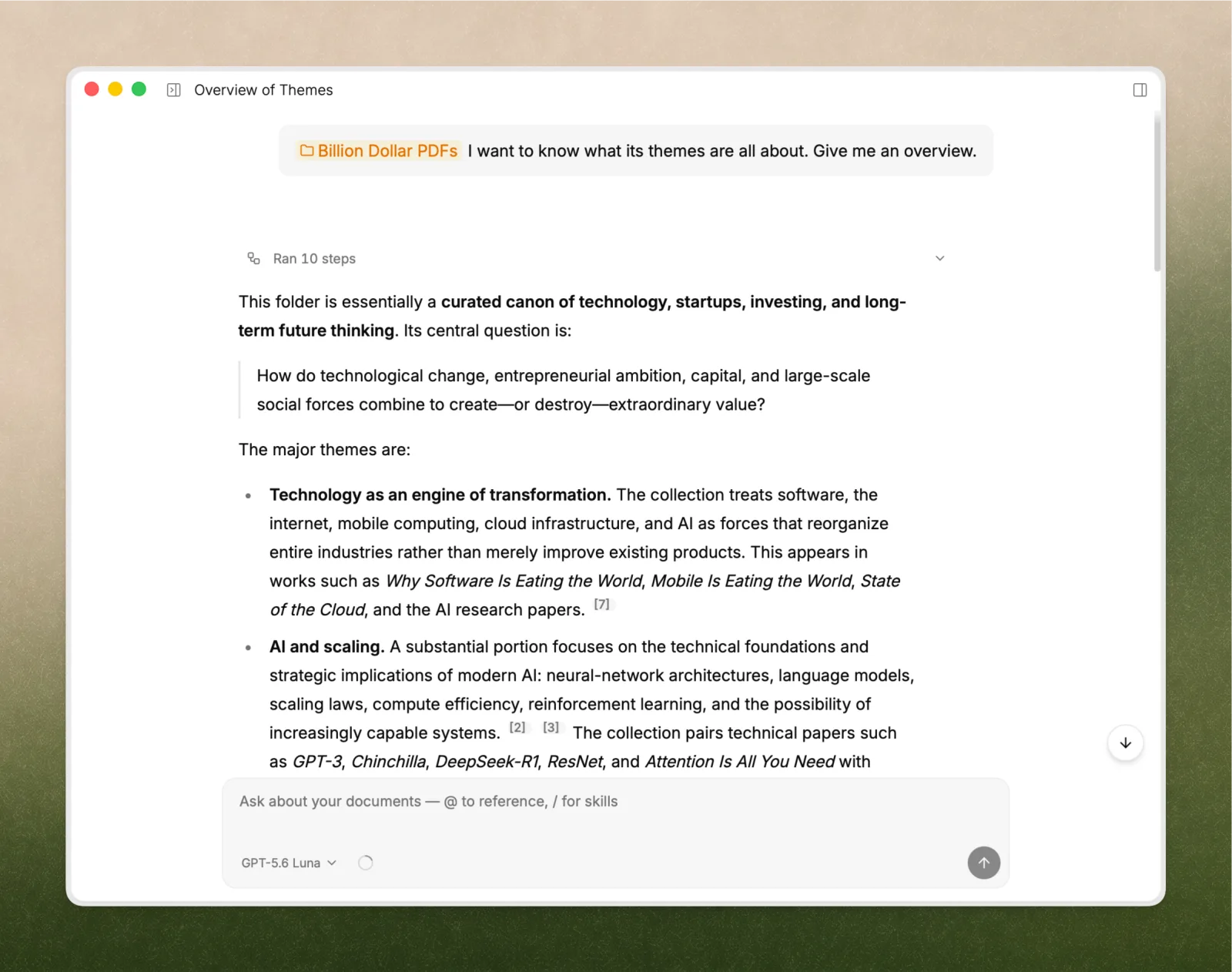
In May, we finally decided to add Chat, and later made it the default screen. Our thinking was that for people, search is just one step in the process, and not something they do very often. It’s also hard to use well. And after searching, the job still isn’t done: you still have to read, or take the results into an agent to keep going. Chat and agents are more open-ended, and have a better shot at delivering an actual result.
But a month ago, as we were getting ready for 1.0, it suddenly hit me that this was all wrong. Does the world really need another chatbot, another agent? When people look for a tool to manage their context and knowledge, is this what they want? Worse, after we launched Chat, I noticed our activation rate went down, not up.
I thought about it all night. The next day I stopped the launch prep and told the team the product wasn’t right. We had to go back to why we started: to be the user’s context hub, not another AI chat window. A standalone context management tool that also works as a plugin and extension for the major AI agents.
Out of capture, organize and use, we’d put almost everything into “use”. We assumed search, Chat, MCP, CLI and Skills should come first, and that there was no need for much UI. But what users struggled with and cared about most was always good, easy-to-use knowledge management. Nobody wants to do the organizing, but it’s also the part they worry about most.
The best answers come after you’ve done the legwork, so we talked with a lot of users, in depth. We got plenty of feedback, like:
- One user told us that when they open Linkly AI each day, the page they look at most is the index page, buried deep in Settings.
- Another said they watch the app logs to see how we actually handle their files, and even keep an eye on what other agents read from their content.
- Lots of users complained that they couldn’t see certain info, file management was too basic, web clips didn’t even have a UI (you had to open the folder to see them), and the numbers on the index status page never added up.
Putting all of this together, I saw the mistake we’d made:
We treated agents as the end user and built something complete and powerful for them, but we overlooked people. And people are the ones we need to serve first.
Agent-first isn’t wrong in itself. But we focused so hard on “agent first” and “building tools for agents” that we drifted off course. It reminds me of education products. The end user is often the kid, but the parents are the more important user. It’s not enough for the kid to like it; the parents have to like it too.
When users feel uneasy, it’s usually not because features are missing. It’s because they can’t see what’s going on. You don’t earn trust by hiding things. You earn it by being open, until people get used to it and stop thinking about it.
What 1.0 is, what’s in it, and what changed
Once that clicked, we started making changes right away, with two rules:
- Take care of people first, and agents too
- Go back to being a context hub, and help users keep their context in order
We reworked the main layout. The main menu no longer leads with Chat and other AI features. It now centers on capturing and organizing knowledge. Here’s what’s in Linkly AI v1.0. Almost every change maps back to the user feedback above.
Dashboards
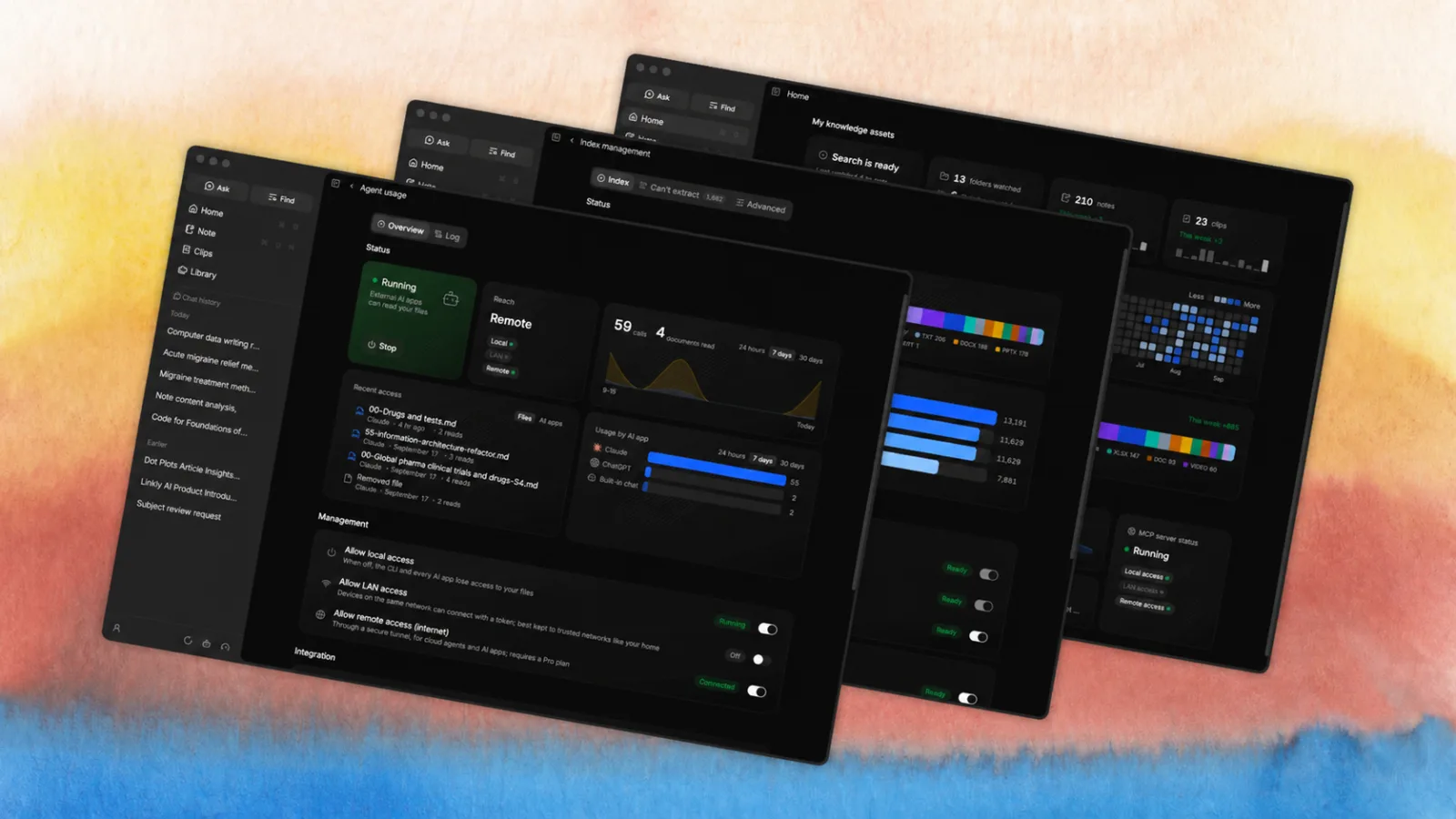
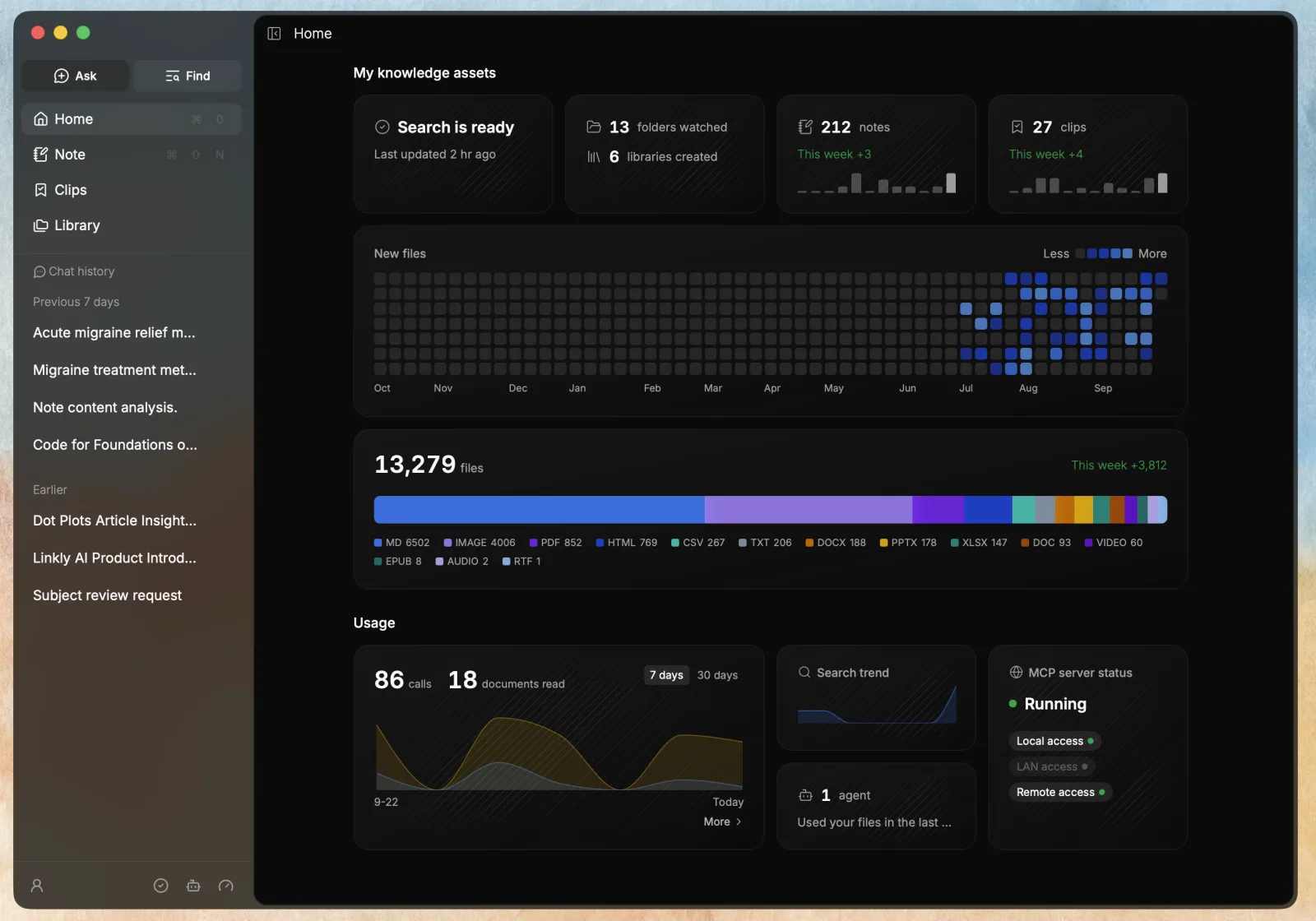
The page people looked at most was the index page buried in Settings, so we moved it to the front. 1.0 adds one main dashboard and two sub-dashboards:
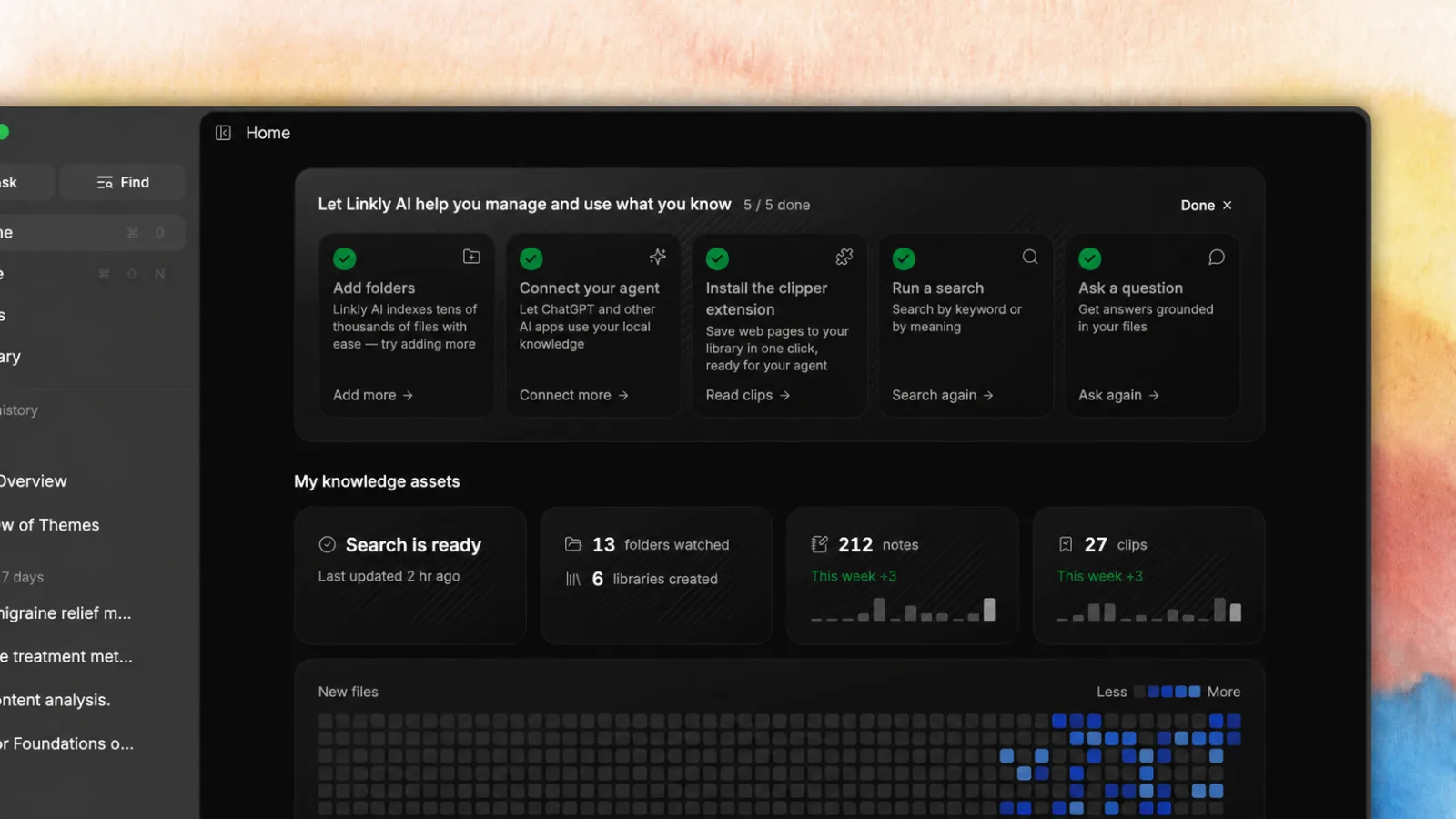
- Home: shows your knowledge assets and usage stats, so you can see the state of your context library at a glance.
- Indexing: adds search index stats, with every number carefully checked. Index toggles are redesigned and grouped. A new panel for failed files shows exactly which files couldn’t be parsed, and why.
- Agent Usage: users want to know what agents read, so we made that visible. All agent-related toggles and stats now live in their own dashboard, along with a new agent usage log.
Indexing and Agent Usage both have a fixed spot in the sidebar. Hover for a quick summary, click for the full stats.
Library
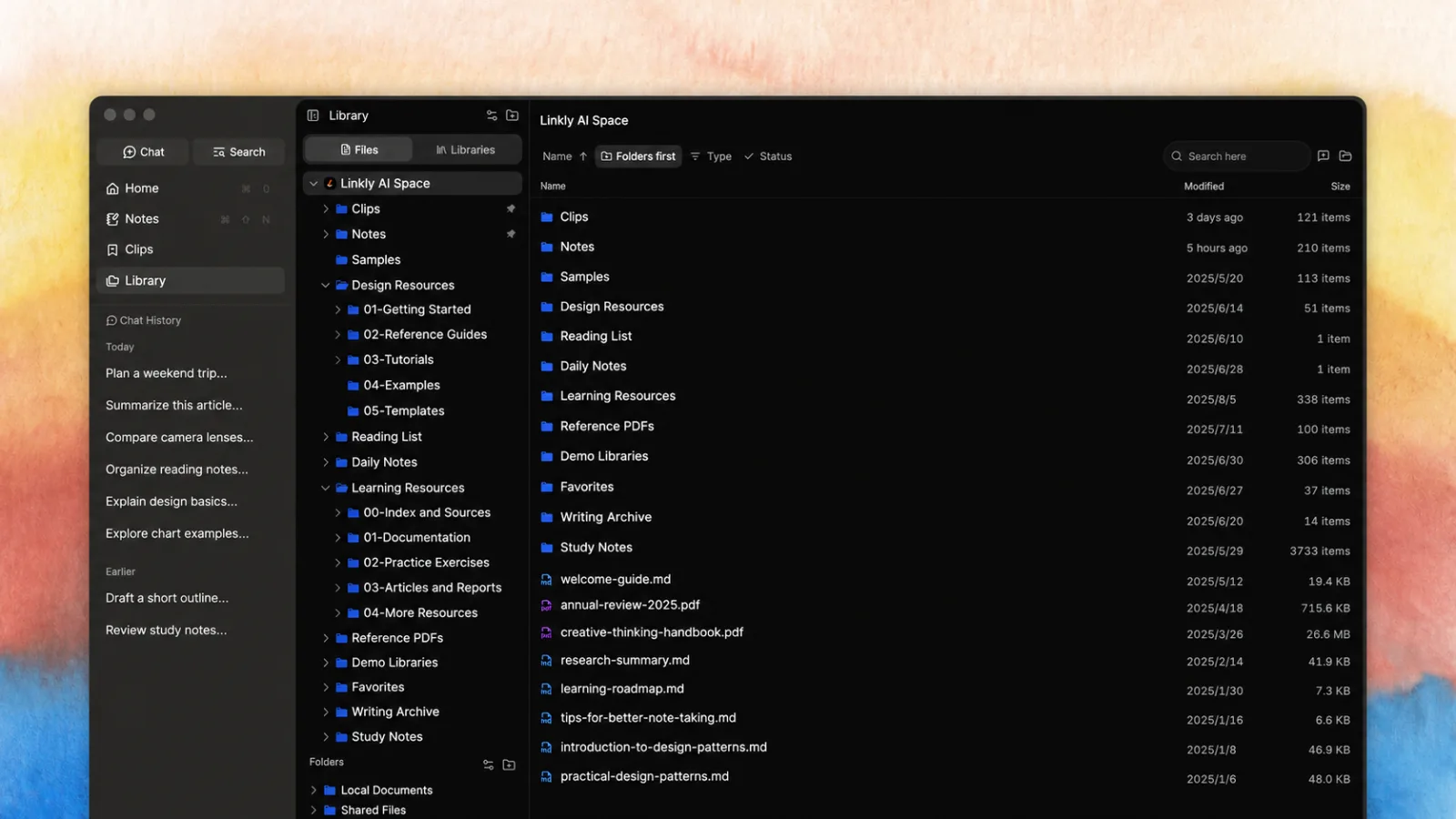
Managing files wasn’t clear enough, so we added Library as a top-level feature, merging the old folder and knowledge base settings. It’s now a solid knowledge management tool with a fast folder tree. You can add or change your library folders right there, and also:
- See the index status of every file and folder, and re-parse anytime
- Right-click any file or folder to start an AI chat, or copy a prompt and keep chatting in any agent
- View the parsed content of your files
- Create and manage libraries, set up cloud sync, and more
Clips
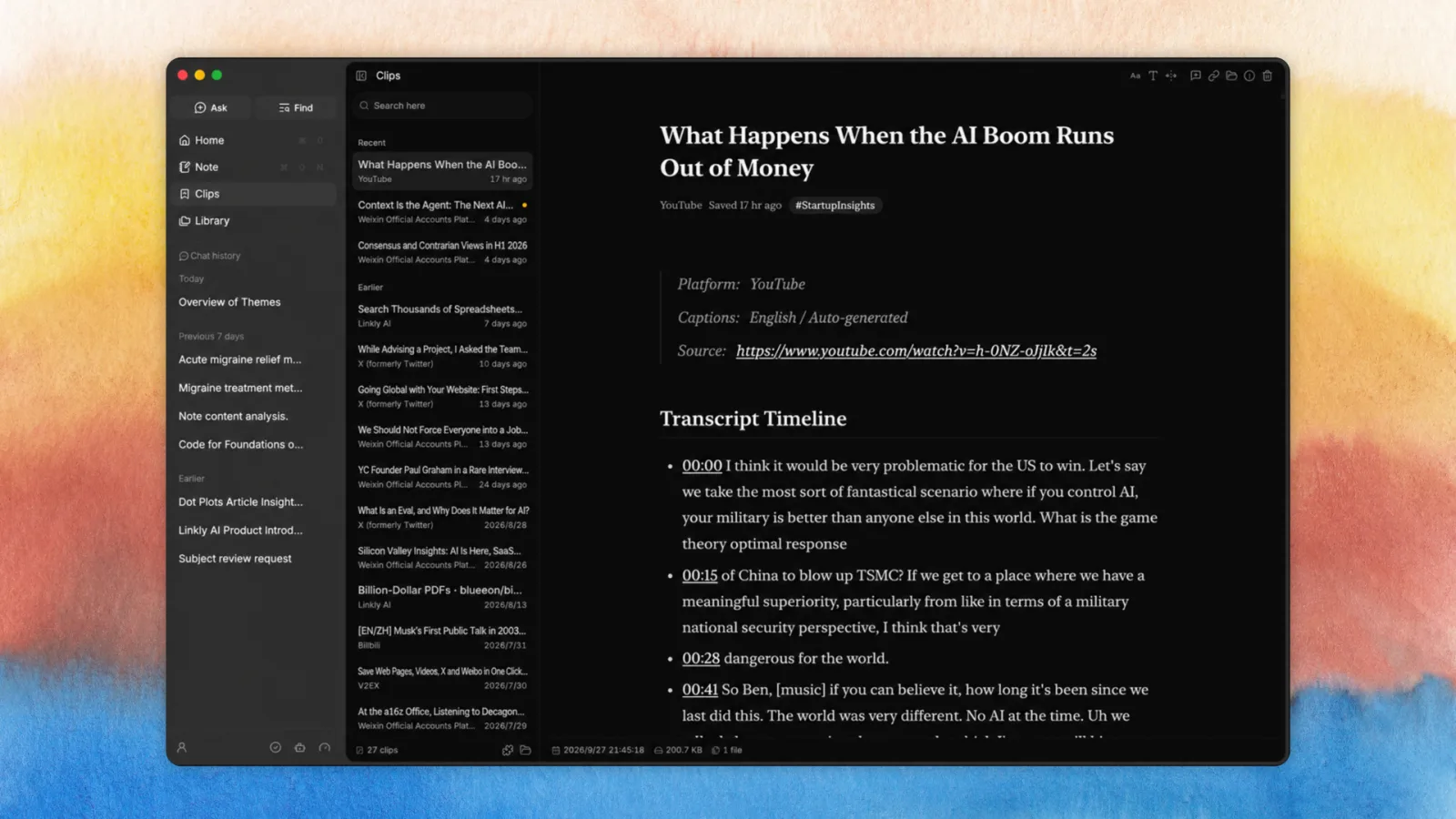
We added Clips as a top-level feature. Articles you save with the browser extension can finally be read right inside the app. It’s a simple offline clipping tool that covers the core of what a lot of “read later” apps do. And of course, everything you clip becomes part of your context automatically.
Notes
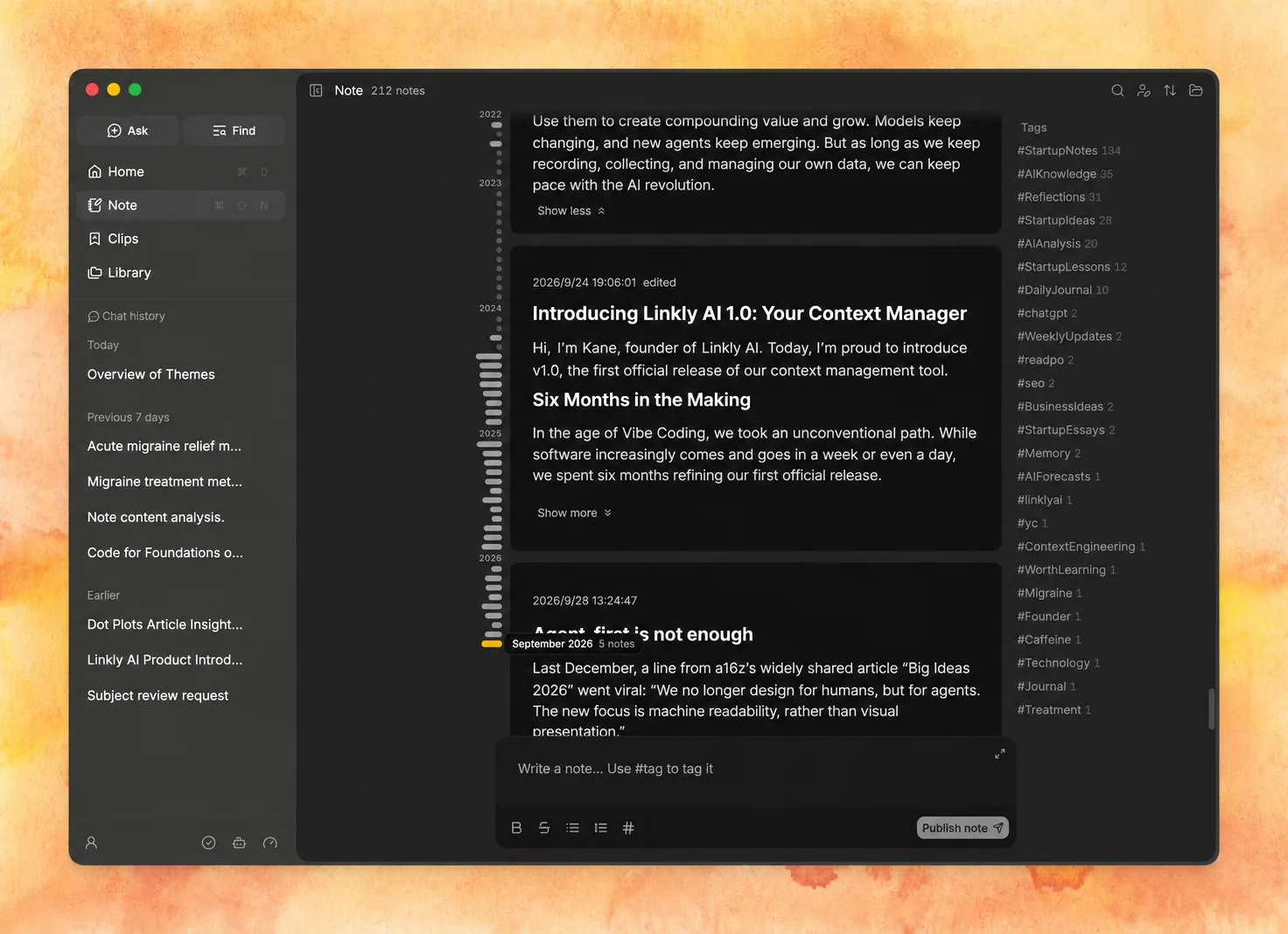
Notes are based on Niklas Luhmann’s Zettelkasten method, and we’ve kept them simple. They’re great for jotting down everyday thoughts quickly, without fussing over formatting. We added an author filter, so you can easily tell notes you wrote from notes agents wrote. Agents can read your notes, and now the notes they edit or create are clearly marked too.
Easier to use Linkly AI in your agents
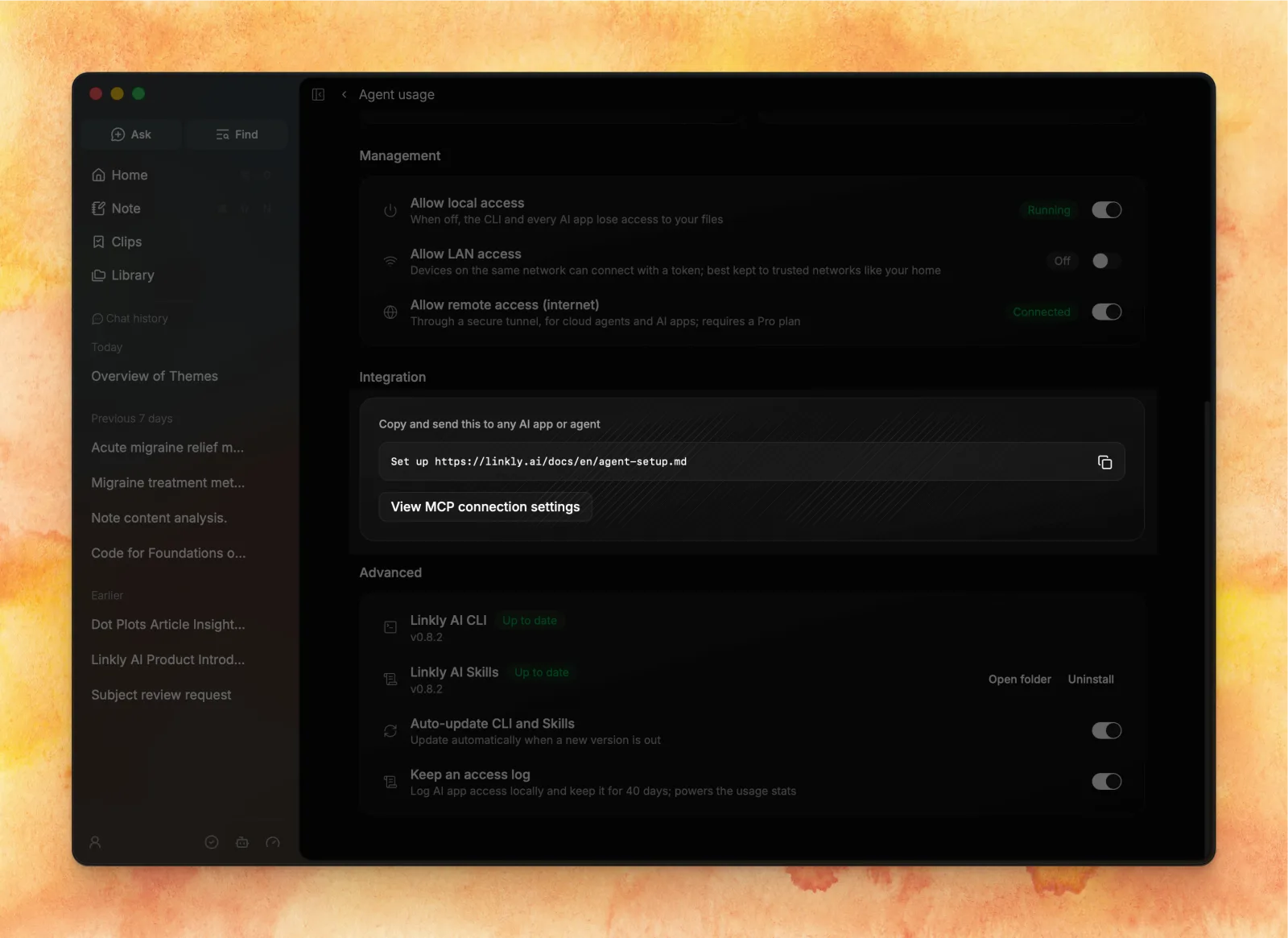
Connecting Linkly AI to other agents is now much easier. One prompt is all it takes: the agent sets everything up on its own, or walks you through it.
The app now installs and updates the official CLI and Skills for you. Non-technical users no longer need to understand or worry about either. Once the app is open, the CLI and Skills are ready to go.
We also added one-click Chat and right-click “Copy prompt” in Search, Library and Clips, so you can chat about any document or folder anytime, in the built-in Chat or in a third-party agent.
Search, Chat, and other improvements
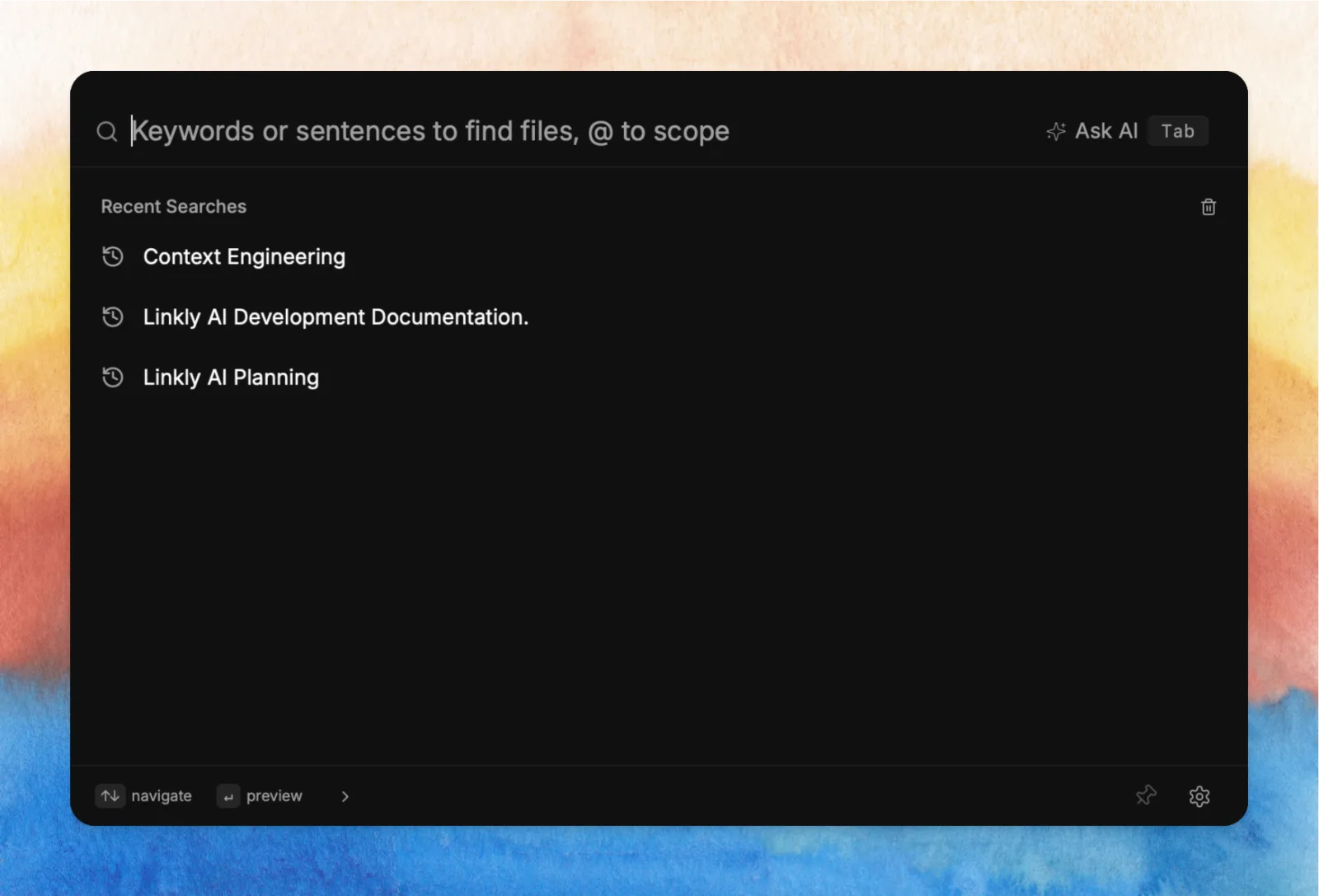
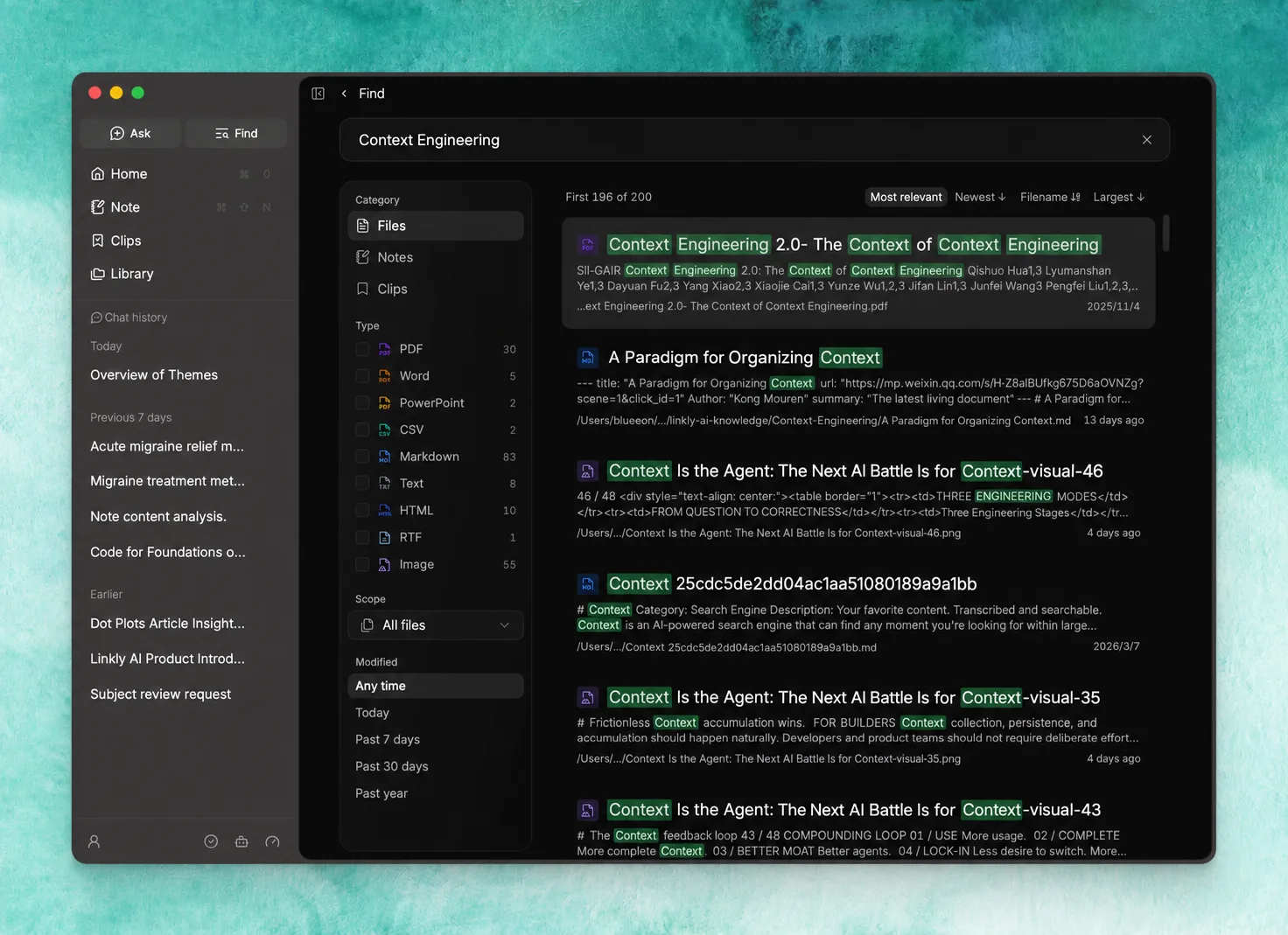
Alongside the existing search popup, we built a new search page that puts filters and sorting right on screen, so it works better for deep, frequent searching and browsing. We also improved word splitting and highlighting, so results are more accurate and easier to scan.
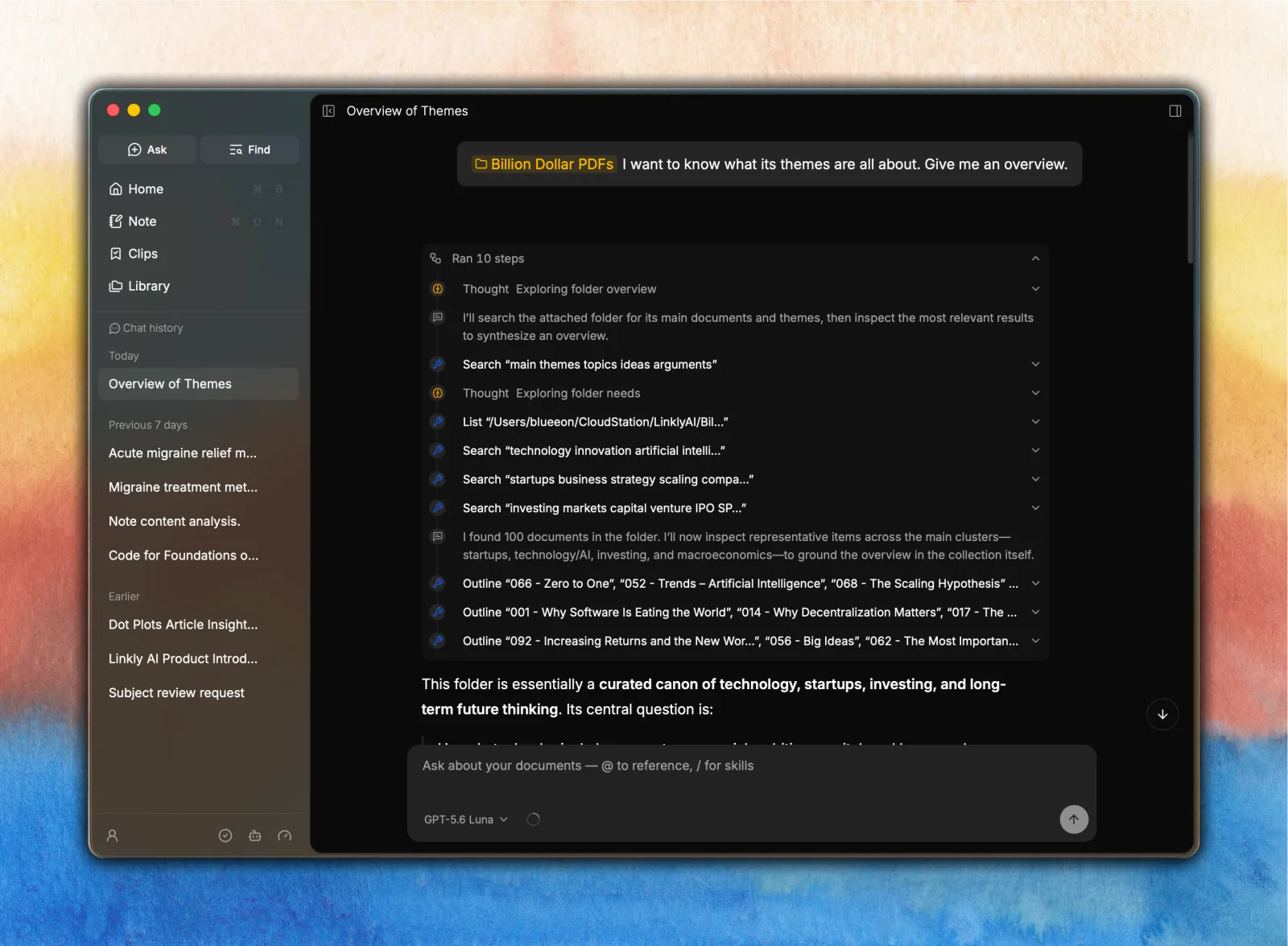
Chat hasn’t gone anywhere, so long-time users don’t need to worry. We polished the Chat screen too, tuning the layout, fonts and line spacing so it’s easier to read. Tool calls got a new UI as well: the thinking and tool steps are easier to follow and less distracting.
We learned that many users never finished onboarding, so we redesigned it for 1.0. It’s shorter and looks better. Go through it once and you’ll know most of what Linkly AI can do.
We improved fonts across the app, and made colors on some screens more consistent and toned down. For a knowledge tool you’ll use for years, we care more about something that holds up and doesn’t wear you out than about flashy animations and design.
Why context management matters in the long run
We’ve always believed that your personal data in the digital world will matter more and more. That data is uniquely yours. It’s your reflection in the digital world, it’s the context AI works with, and it will be a big part of what sets people apart in the future.
In the end, AI tools and agents will all look pretty much the same. What makes each of us different, and gives us an edge, is our own notes, insights, collections, experiences and taste.
Every AI company knows context matters, and they’re all racing to grab it from users and businesses. But do we really want to hand everything we know over to AI companies, holding nothing back?
On one hand, we have to give AI some of our personal data, and give it accurately, or it can’t get the job done. What an agent can do depends on the context it gets.
On the other hand, we want to stay in control of our data, not lose it the moment we hit upload.
From the very first version, Linkly AI has been built on Local First x Agent First. We want to strike a balance between the two: keep your data safe, let AI make the most of it, and let it compound over time so you keep growing.
Models keep changing, and new agents keep showing up. But as long as we keep recording and collecting, and keep our own data in order, we can keep up with AI and get the most out of it.
Finally, thank you to the thousands of early users who’ve been with us these six months, and the hundreds of passionate users in our beta group. Almost every change in 1.0 came from your feedback, your complaints, and your honest suggestions.
Head to linkly.ai and put your data to work in the age of AI.