
Every day, we share documents through Feishu, Notion, WPS, and countless other tools. Knowledge gets recorded, shared, and accumulated.
But in the age of AI Agents, something strange is happening: humans have already learned how to share knowledge with one another, yet Agents are still stuck in an era of isolated information islands.
How can one body of knowledge be shared not only with people, but also understood, reused, and continuously improved by multiple Agents?
That is the problem Linkly AI v0.5.0 sets out to solve.
Linkly AI v0.5.0 Officially Launches Cloud Knowledge Bases
Today, Linkly AI v0.5.0 officially introduces cloud knowledge bases, allowing local knowledge bases to be pushed to the cloud, stay online 24/7, and be shared.
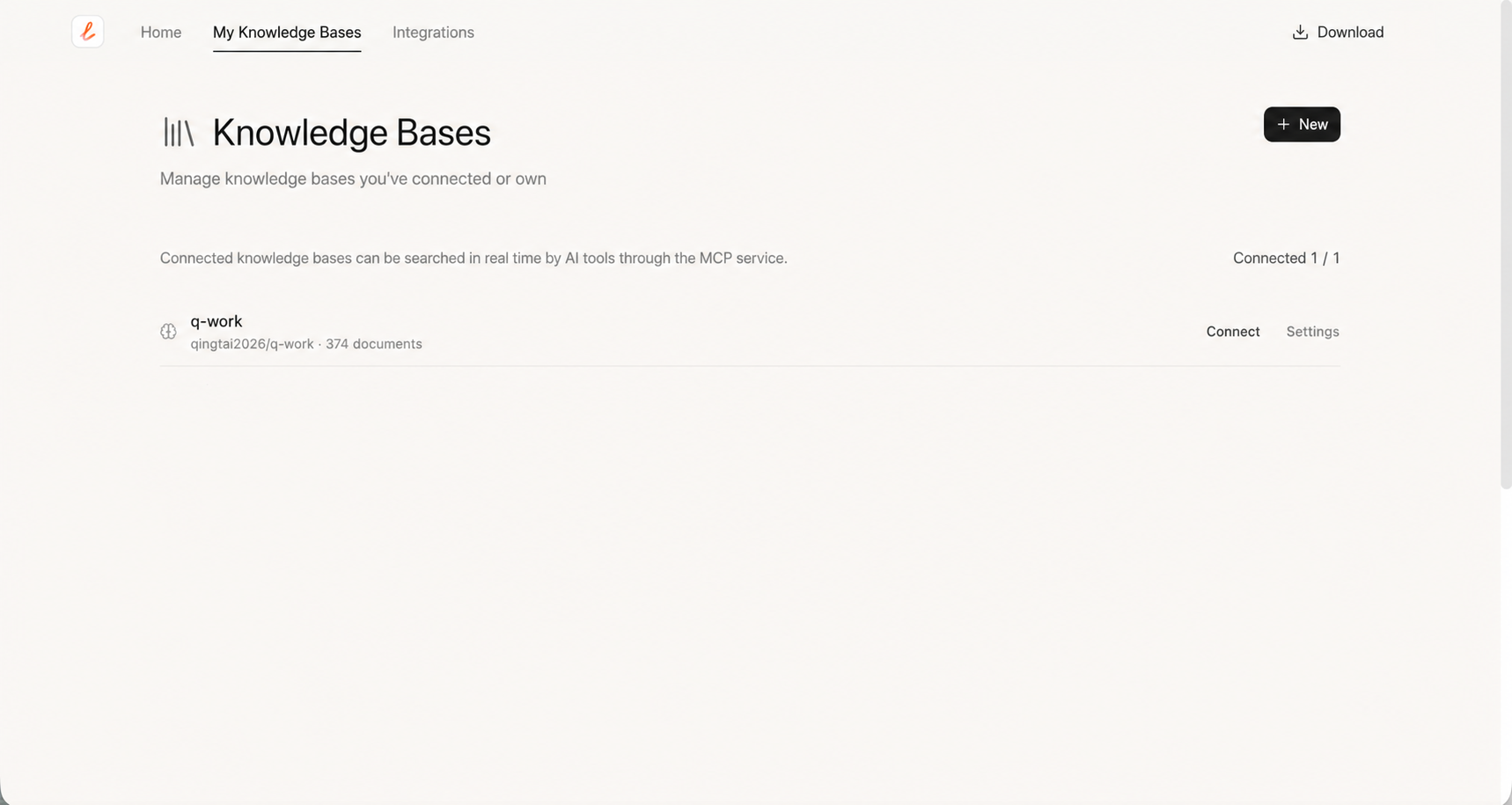
Previously, Linkly AI helped you build an Agent-first knowledge base locally. For most use cases, that was enough.
But we started hearing more and more requests like these:
- “I want to use Claude on my phone to look up a contract on my desktop, but my computer is not with me.”
- “Can I share the knowledge base I have built with my team, so their Agents can use it too?”
These needs point to the same issue: context only becomes more valuable for AI Agents when it can flow.
Linkly AI v0.5.0 solves that problem.
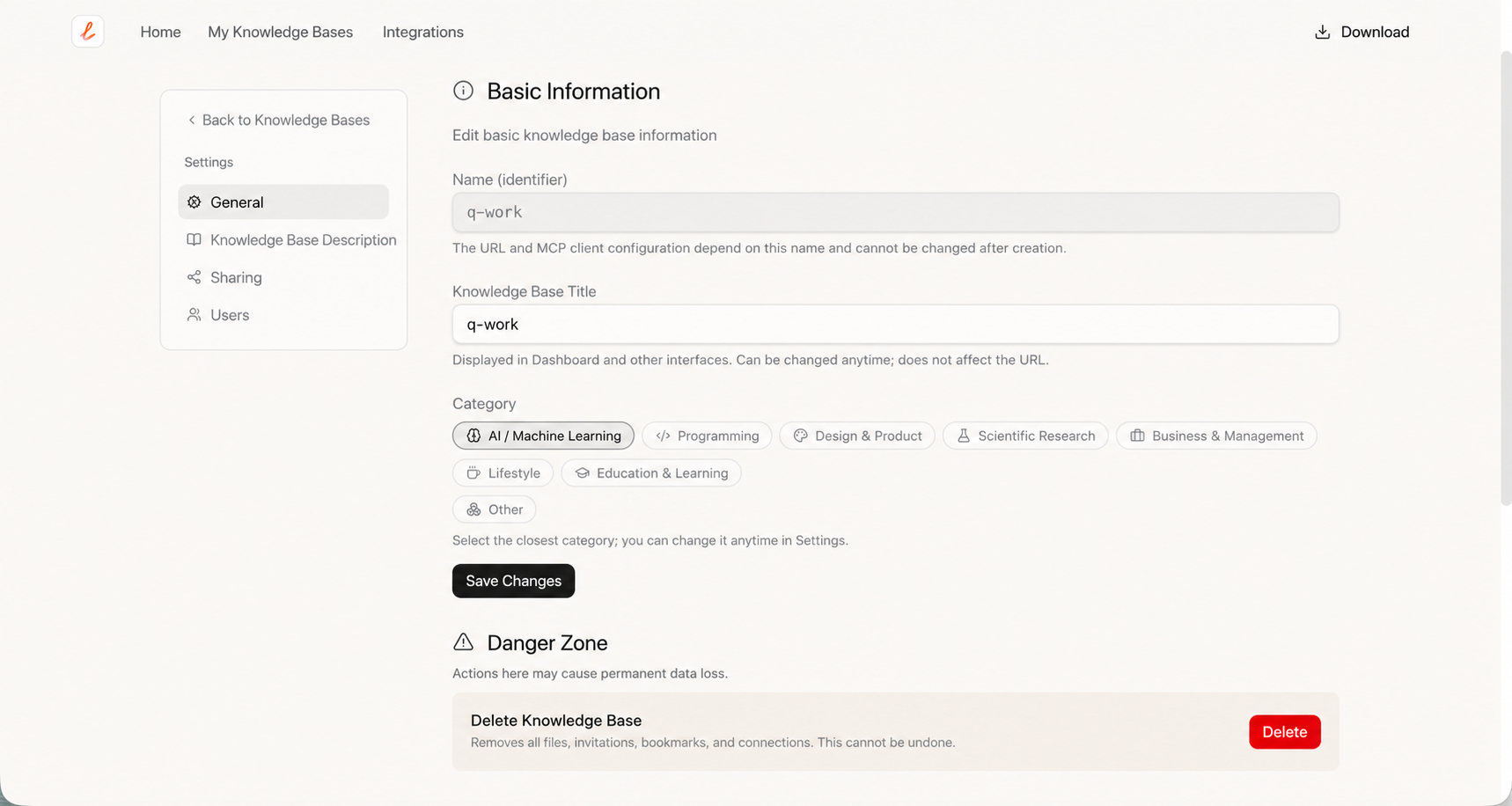
Beyond the core cloud push feature, you can now manage cloud knowledge bases on the web: create categories, write READMEs, and configure visibility. This helps reduce contextual noise and lets Agents find relevant information more accurately.
Cloud knowledge bases also introduce an MCP usage dashboard. Here, you can see how often a knowledge base is called and how frequently it is used.
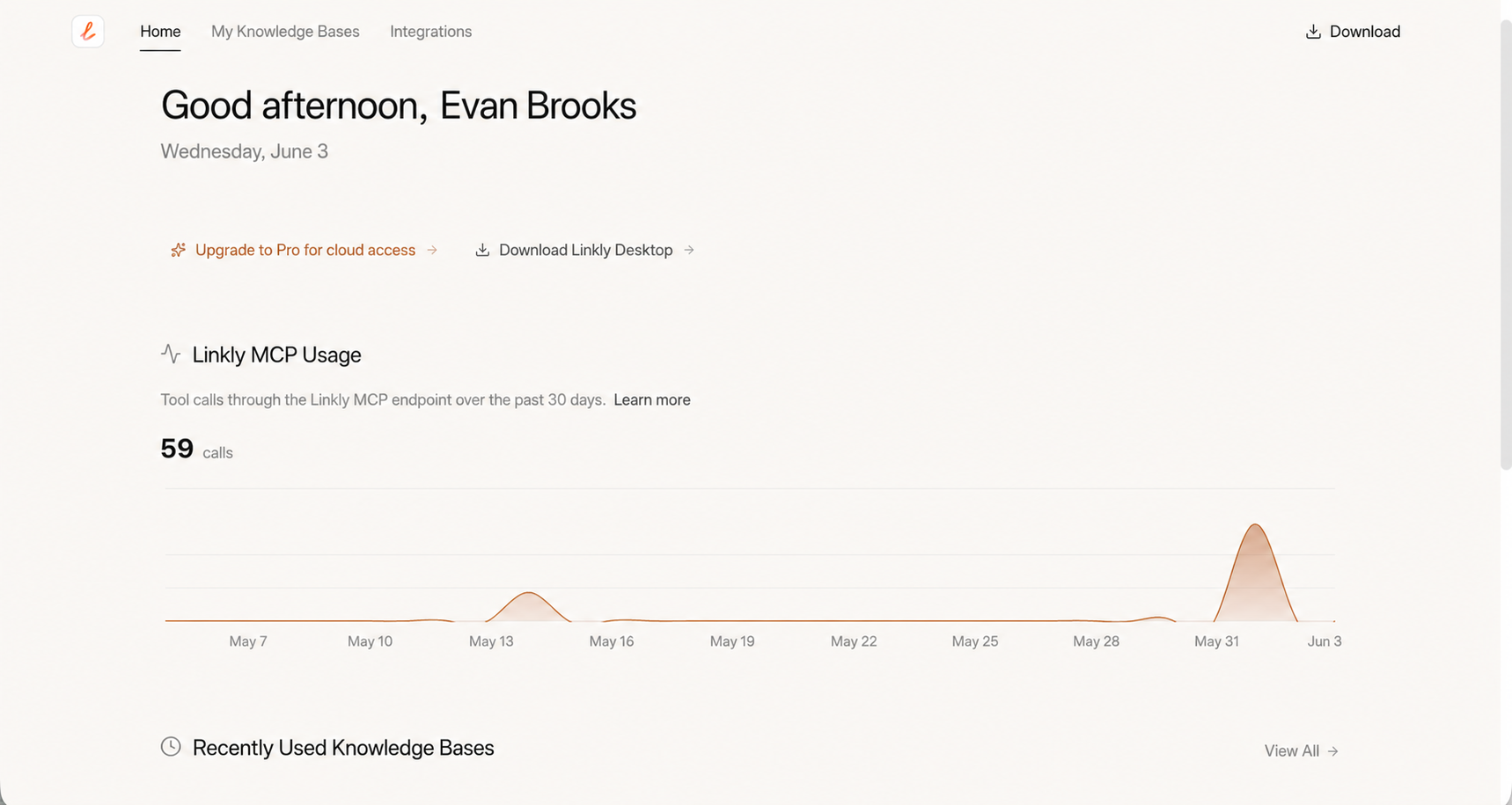
In the past, the value of knowledge sharing was hard to perceive. Now it becomes measurable: a knowledge base frequently called by a team says more about its value than any description could.
Of course, cloud knowledge bases do not change Linkly AI’s local-first principle. By default, your documents remain local. A knowledge base is uploaded only when you explicitly choose to push it to the cloud.
Remote tunnels solved the problem of “cloud AI accessing a knowledge base on your machine.” Cloud knowledge bases solve a different problem: selected context can stay online independently from your computer and be shared with more Agents.
Use Cases
Team Context Alignment
Imagine someone on your team continuously maintains an industry research library. In the past, everyone else had to ask them for the latest version again and again.
After the knowledge base is pushed to the cloud, every update they push becomes the latest context used by every teammate’s Agent. The maintainer no longer needs to resend files, and users no longer need to spend tokens teaching AI the same material repeatedly.
Only knowledge that keeps flowing can become a shared organizational asset.
Continuous Agent Improvement
If your Agent only ever calls your own context, its ceiling is bounded by your personal knowledge.
Just like a second brain, if it does not keep absorbing new knowledge, it will never evolve.
Cloud knowledge bases allow information to flow. You can call knowledge bases curated by domain experts and let your Agent absorb context far beyond your personal accumulation, allowing it to keep getting stronger.
What becomes possible after context starts flowing depends largely on the problems you use it to solve. If you discover new workflows, we would love to hear about them.
How To Use It
- Go to the Linkly AI website and create a cloud knowledge base.
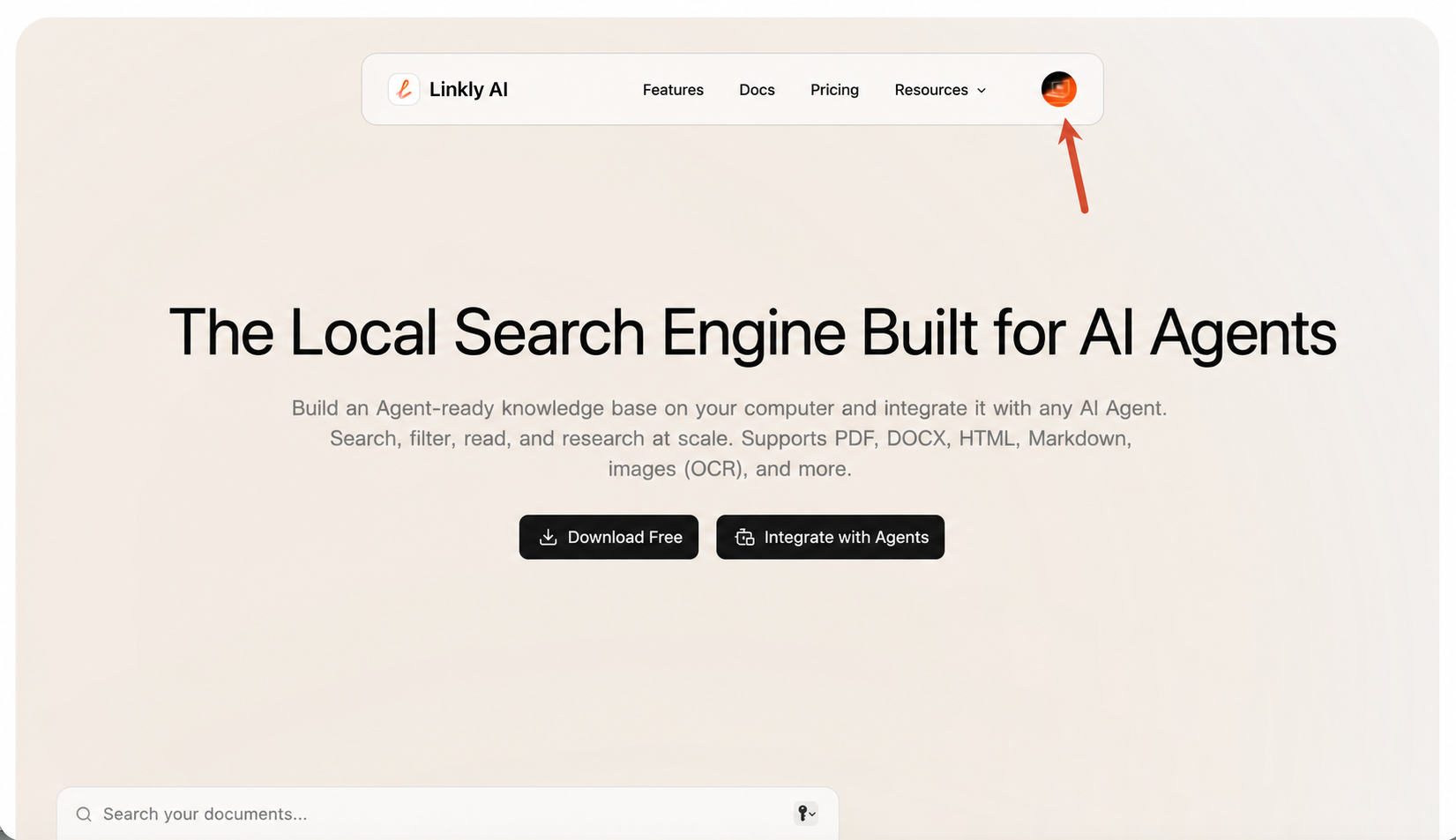
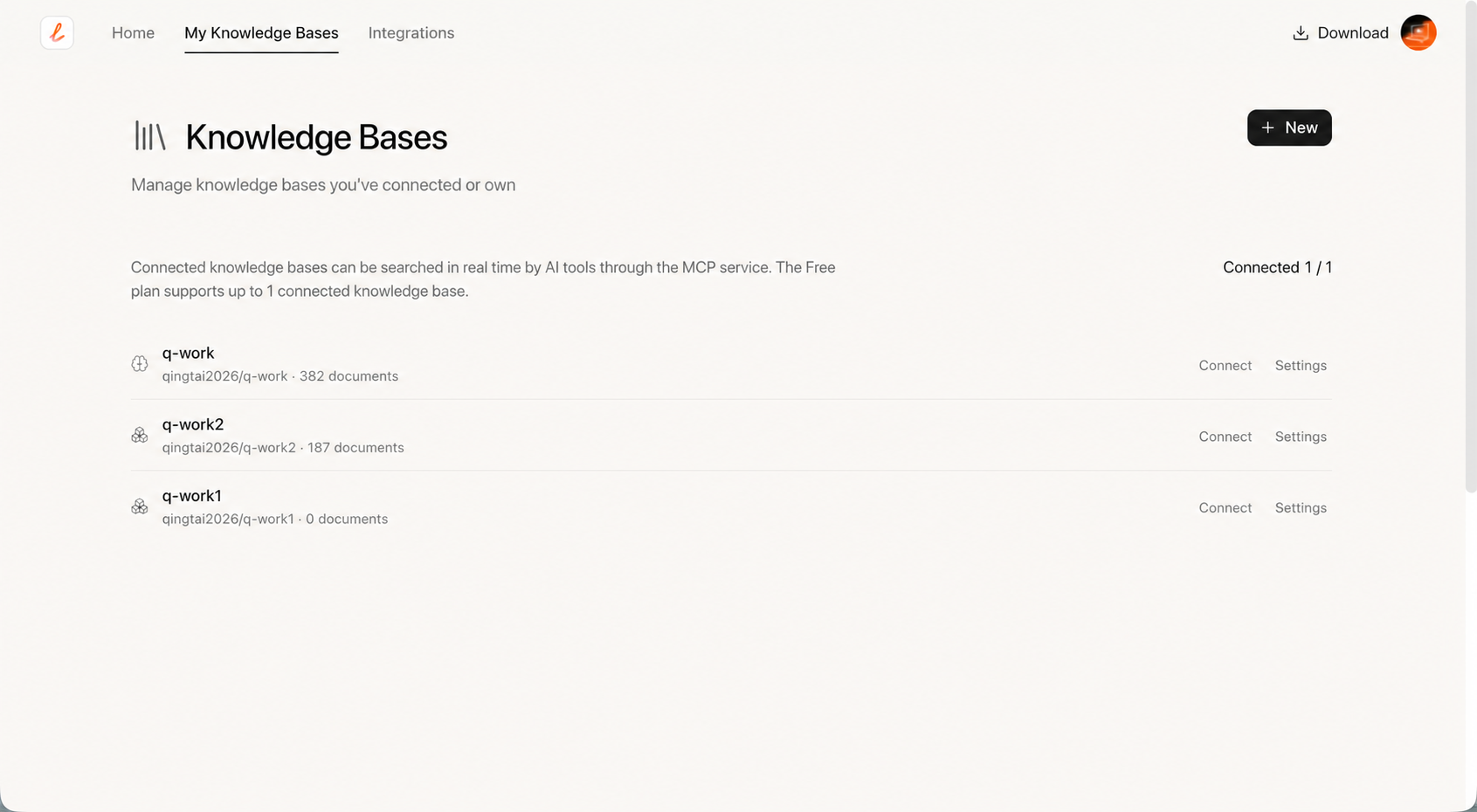
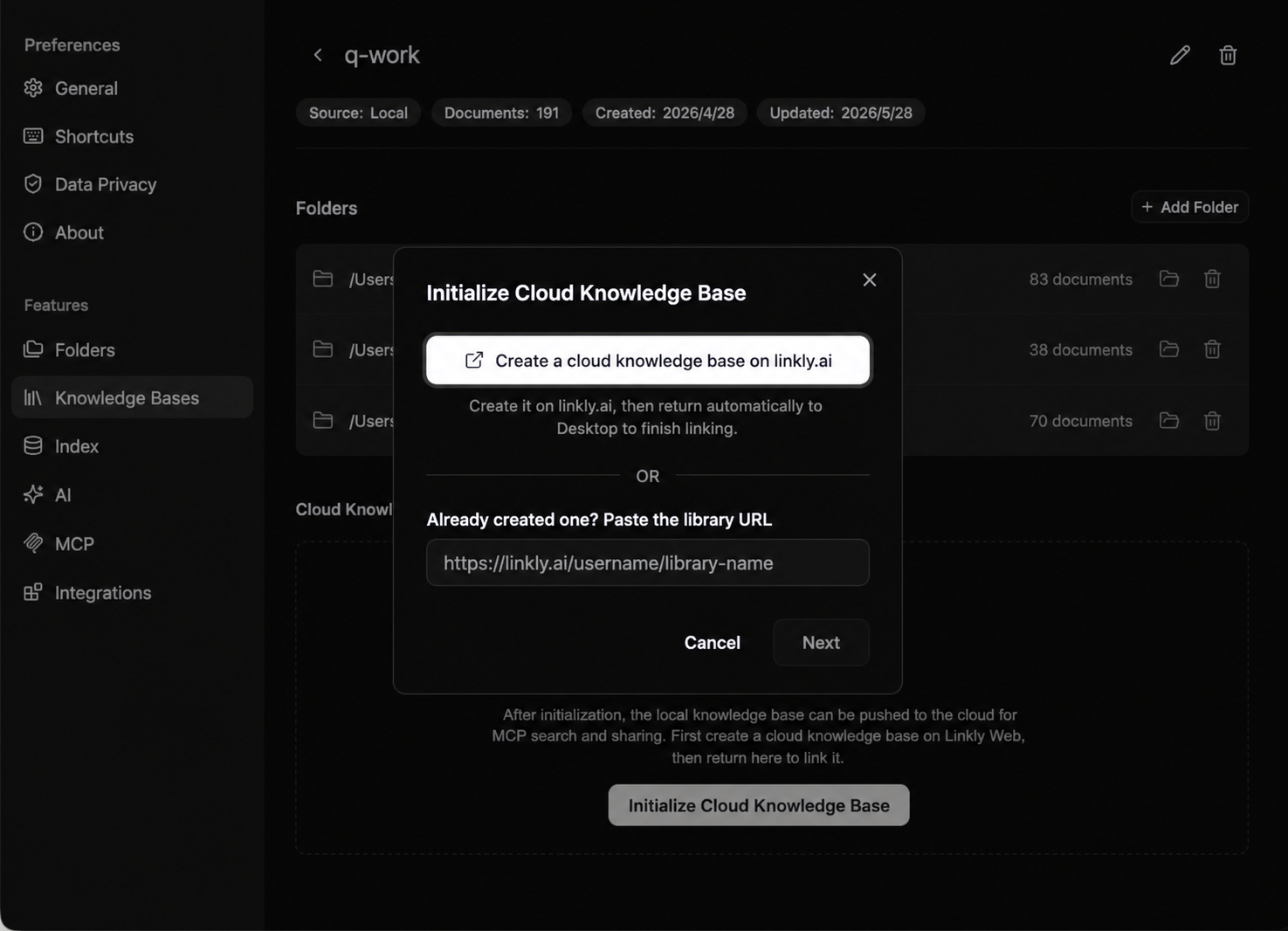
- Initialize the cloud knowledge base: open Linkly AI Desktop, select the local library you want to upload, and enter the URL to bind it to the cloud knowledge base.
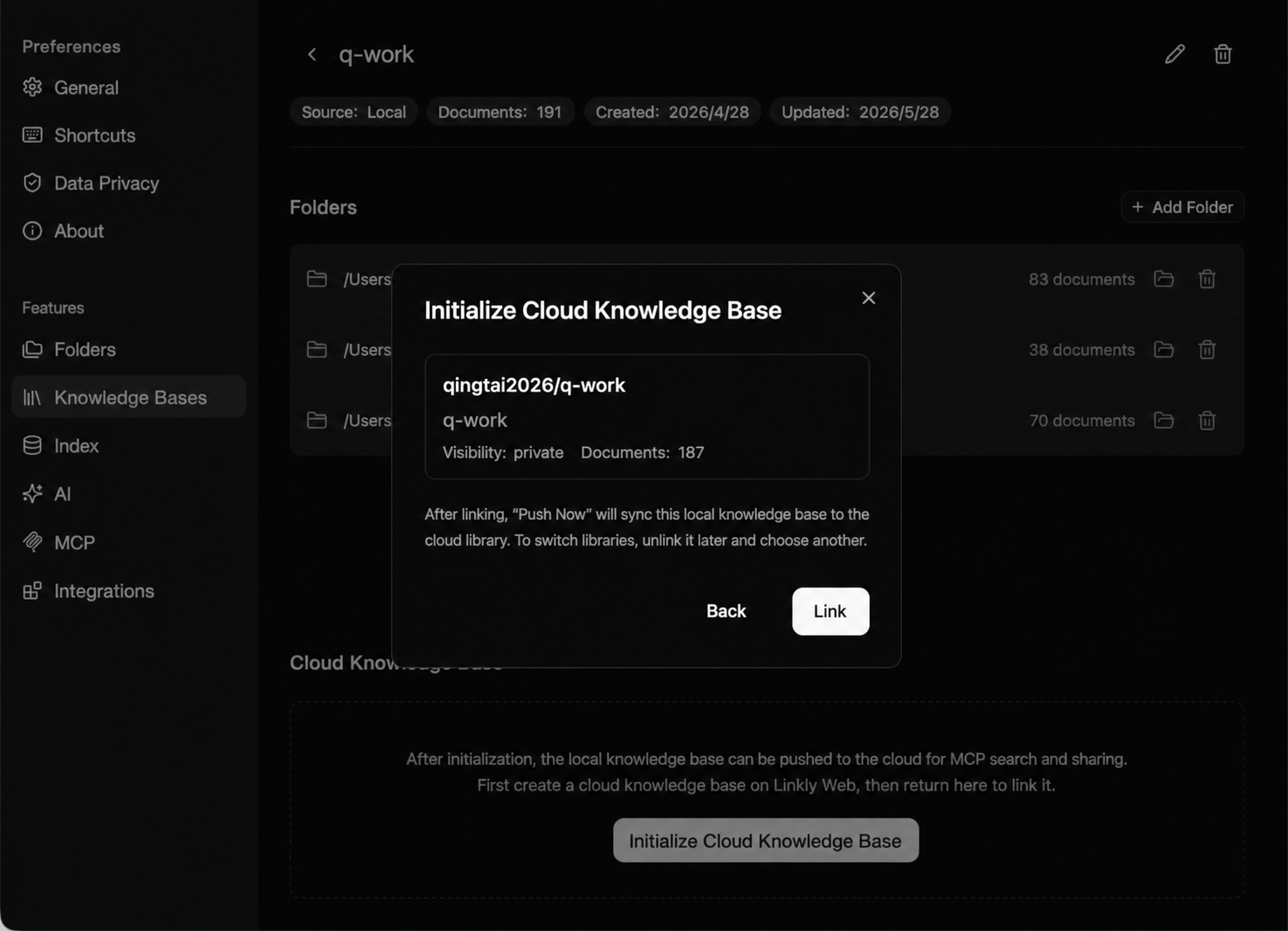
- Push the knowledge base to the cloud.
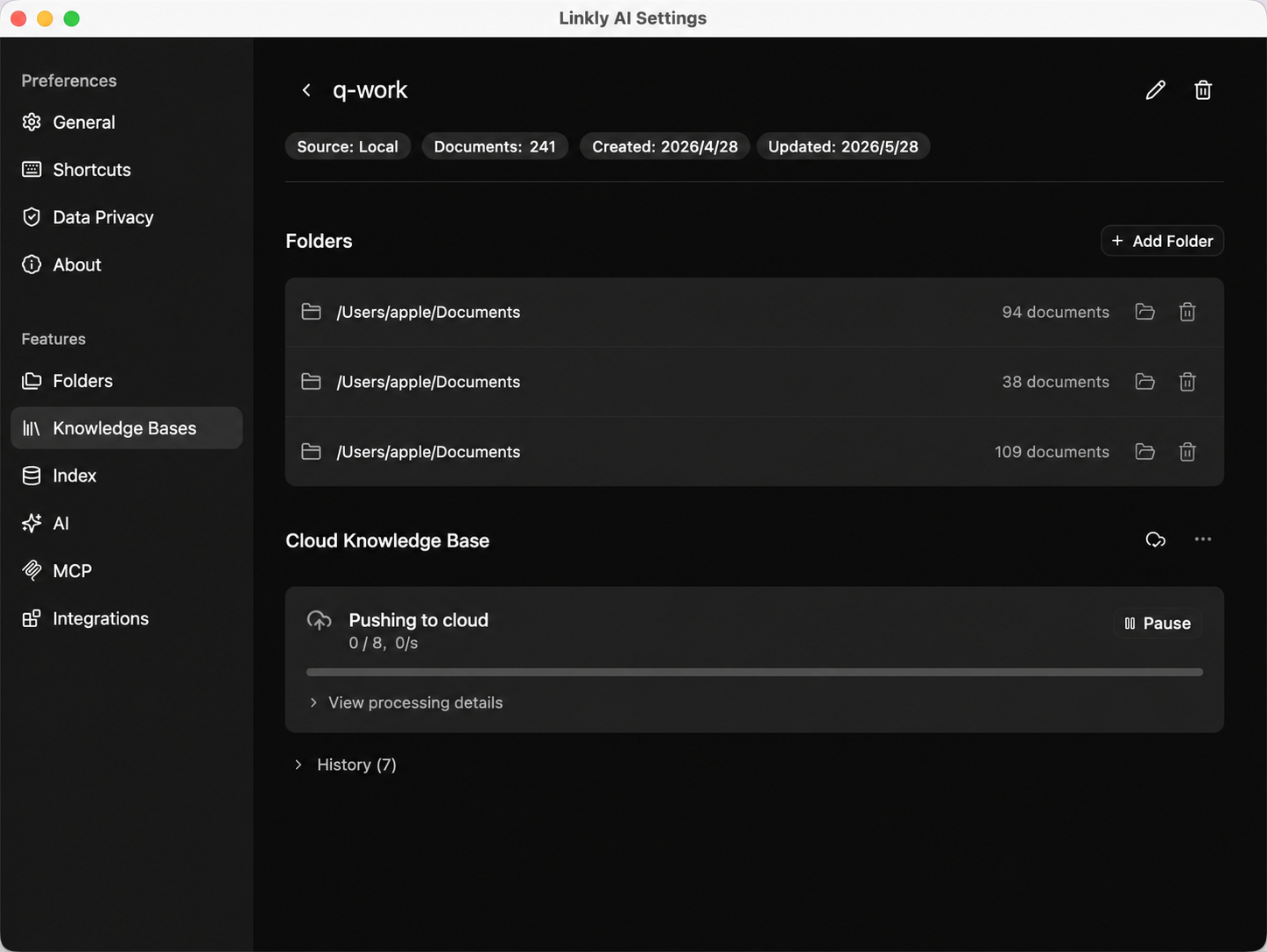
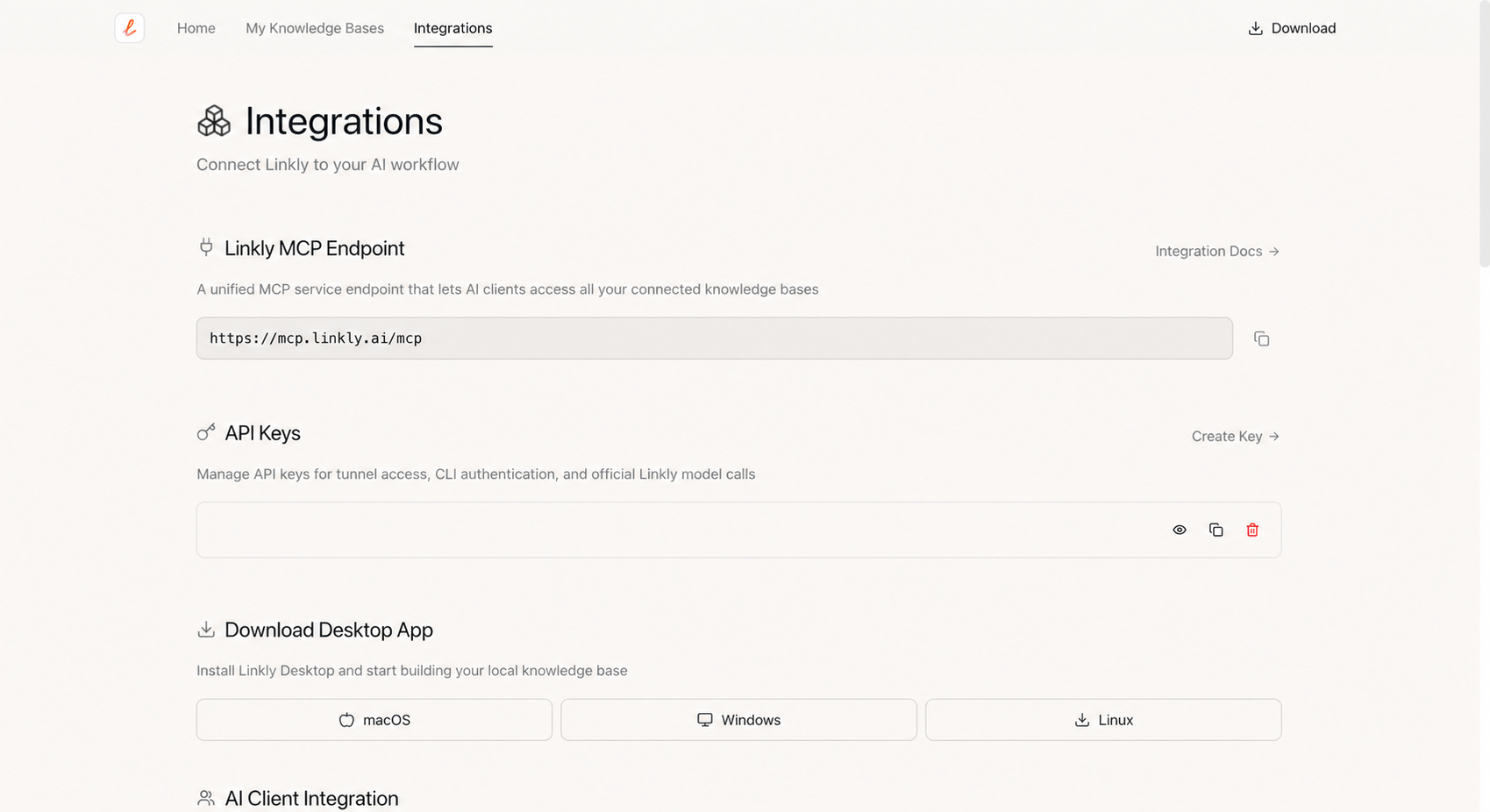
- Connect MCP.
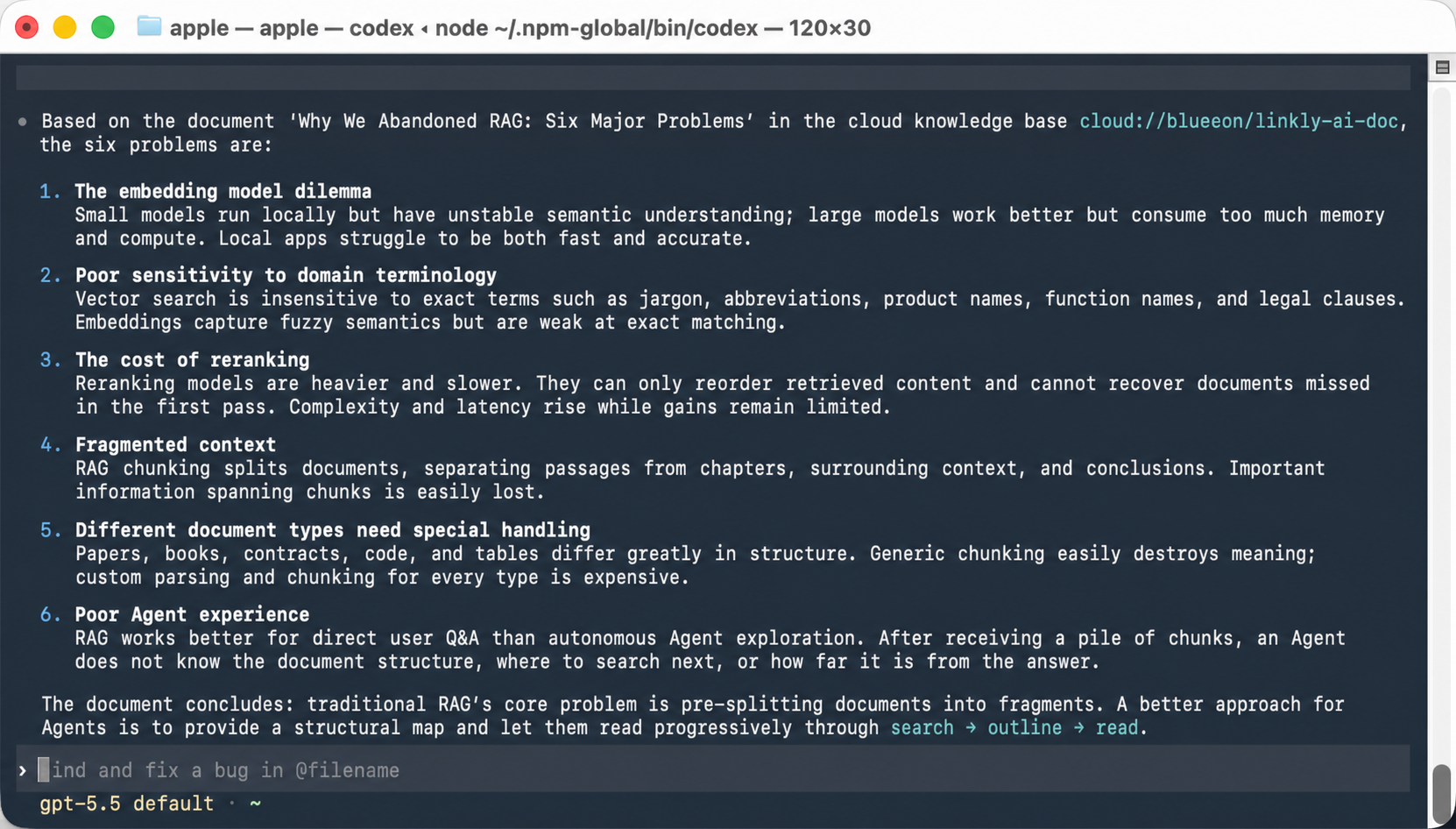
- Start using it inside your Agent.
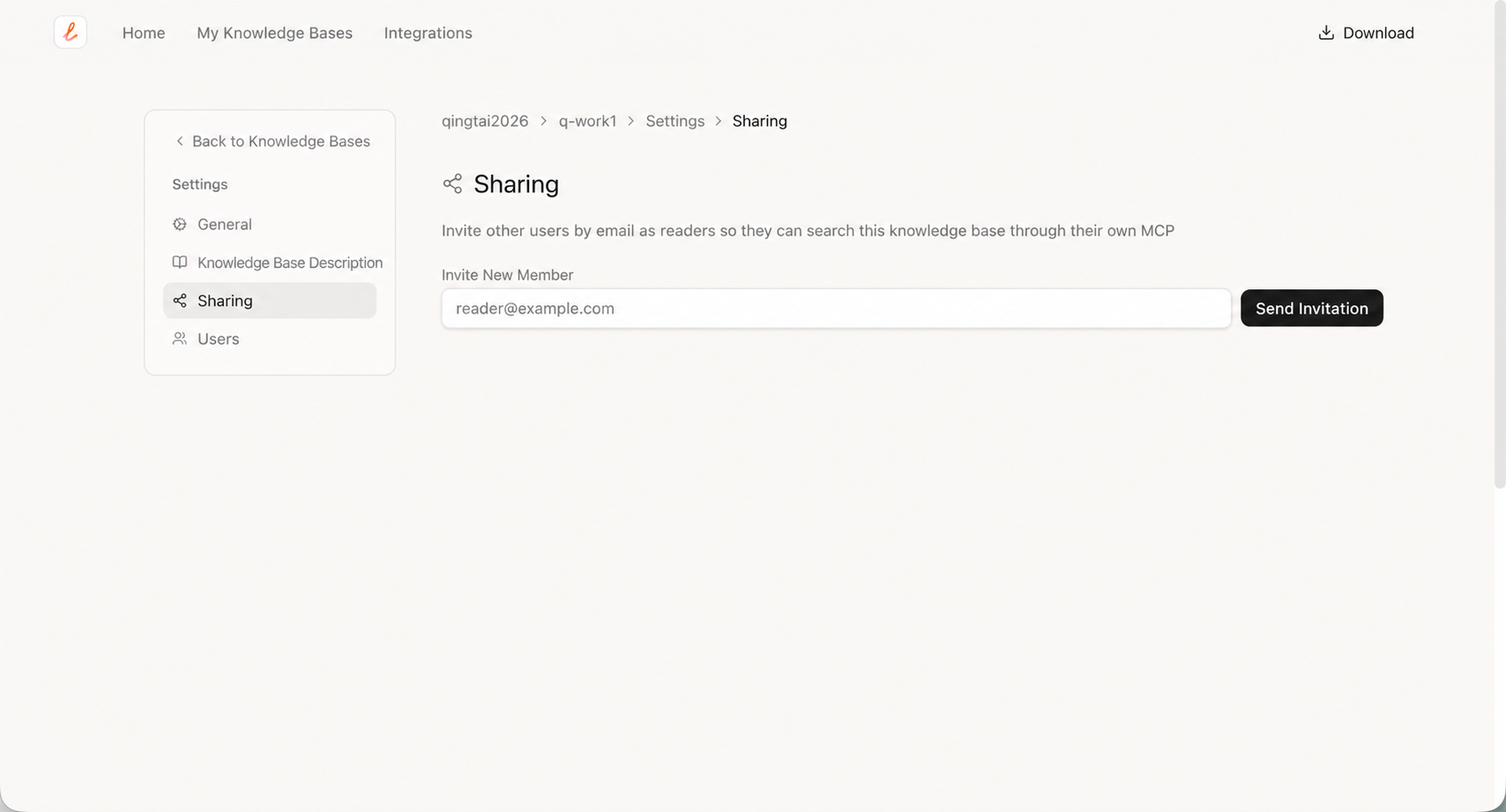
- Invite others by email and share the knowledge base.
Cloud knowledge bases can currently be accessed through the CLI and Linkly AI’s cloud MCP endpoint at mcp.linkly.ai/mcp. Local Chatbot and retrieval-tool support will come later.
How Do We Keep Cloud Knowledge Bases Secure?
- End-to-end encrypted transport: the desktop client, MCP service, and external management interfaces all use HTTPS and TLS encryption to prevent data leaks.
- Strict multi-user data isolation: RLS row-level security policies are used, and each knowledge base gets an independent DB instance for strict isolation.
- Data minimization + local-first, with cloud sync under your control: cloud knowledge bases are not “full sync.” The desktop app only uploads when the user explicitly clicks push. There is no background automatic sync, and cloud data is removed when a knowledge base is deleted. Where your data lives and how it flows remains under your control.
- Passwordless login and strong identity verification: the client and cloud use asymmetric signing. The cloud uses passwordless login to avoid security issues caused by password or key leakage.
Other Improvements Worth Mentioning
- MCP / CLI now support searching a specific single knowledge base, including cloud libraries.
- Desktop and web multilingual support has been improved, with five languages supported.
- Linkly AI Chat code block and table styling has been improved.
- Chatbot fixes: stop responses instantly, avoid empty responses, and correctly save message timestamps.
- Indexing fixes: resolve transient file deletion issues and folder document-count refresh problems.
Join Us
If you are trying to connect your knowledge base to ChatGPT, Claude, Cursor, or n8n, or if you are thinking about knowledge management in the AI Agent era, feel free to contact us through the official account.
You may have the chance to talk with the Linkly AI team about product updates, knowledge-base practices, and new ideas around Agents and knowledge management.
Linkly AI is still evolving quickly, and we hope it grows together with people who truly use knowledge bases and Agents.
Full Changelog
💡 Tips:
- Before using cloud knowledge bases for the first time, log in to Linkly Web and set your username.
- Upgrade Linkly AI CLI to the latest version.
- Upgrade linkly-ai-skills to the latest version.
- MCP changed significantly, so your connected AI tools may need to reload the MCP service.
New Features
- Added cloud knowledge bases: bind any local library to a cloud library in settings and push it. After that, even if the desktop client is off or offline, the content can still be searched from the web and external AI tools. Free during public beta.
- Added native macOS app menus, including App / Edit / Window / Help menus.
- Added status indicators to the Chat session list, making generating and unread states easy to see.
- Added table export in Chat: export tables in AI replies to CSV / Markdown in one click.
- Added “Open in folder” in Settings -> Folders.
Improvements
- Refreshed Chat window appearance on macOS: native glass effect, improved title bar, remembered window size, and sidebar that collapses responsively with window width.
- Improved global context menus, allowing normal selection and copying in the chat area.
- Improved built-in Chatbot replies: smoother, more concise, and easier to read.
- Improved the Chatbot Stop button so it stops immediately.
- Improved Chatbot code block UI rendering, making it lighter and cleaner.
- Optimized direct return values from
searchfor MCP / external AI tools, compatible with local and cloud knowledge-base file paths.
Bug Fixes
- Fixed MCP call failures caused by some large models generating non-standard parameters.
- Fixed fullscreen table window remnants and dragging issues.
- Fixed Chatbot message save failures caused by timestamp issues.
- Fixed an occasional race condition after clicking Stop.
- Fixed overly loose validation of local knowledge-base names.
- Fixed stale folder document counts after scan / watcher batch processing.
- Fixed accidental deletion caused by transient file deletion events during indexing.