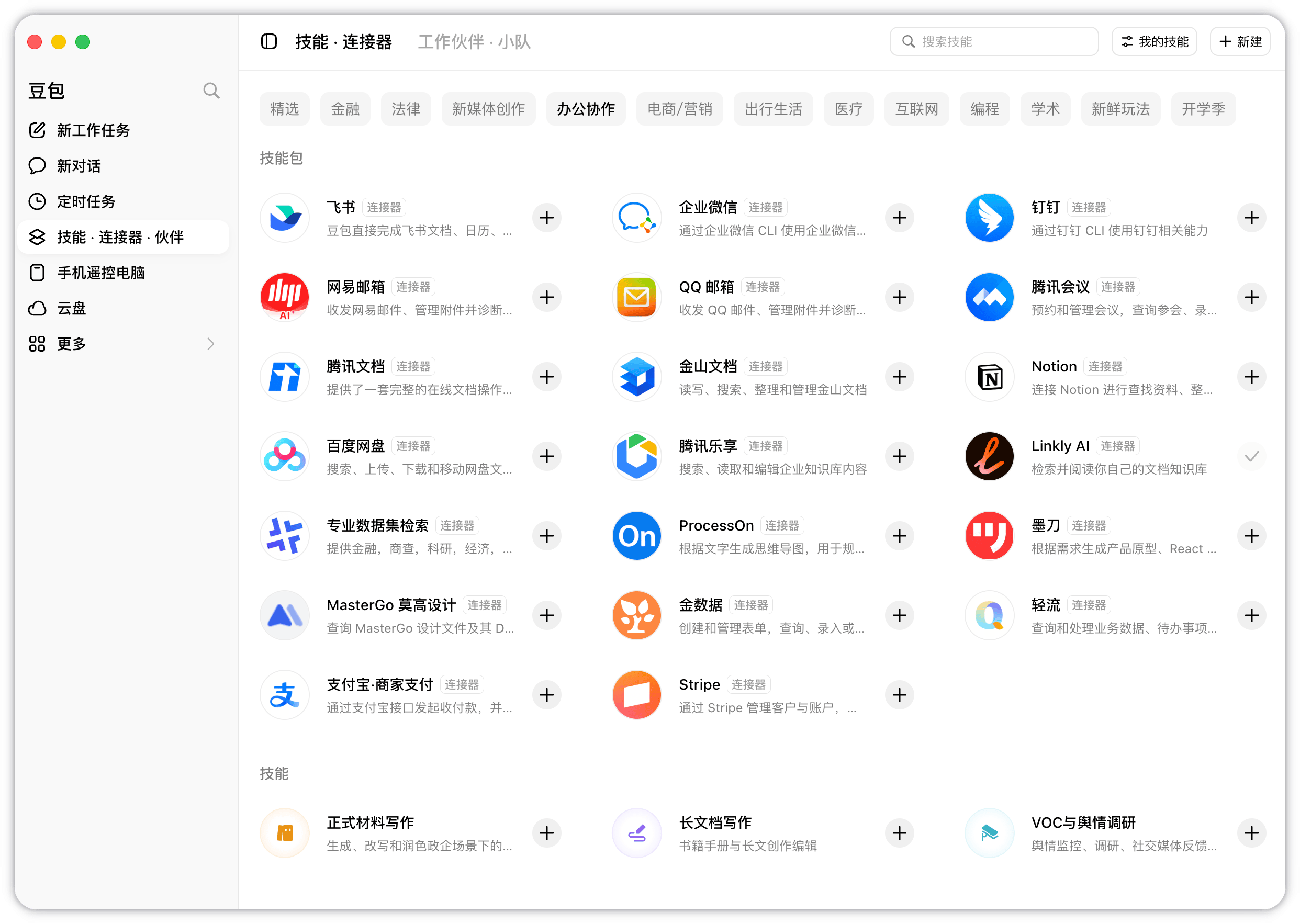
Doubao Work recently added an official Linkly AI connector. Once connected, Doubao can read scanned PDFs, images, documents, audio, and video stored on your computer. The Linkly AI connector is available on Doubao Work's Skills and Connectors page But “it can read local documents” does not really show what makes it useful. So we put together three practical examples of how Doubao and Linkly AI can turn those files into something you use in your daily work.

Part 1: Put Ideas Saved on Your Phone to Work in Your Writing

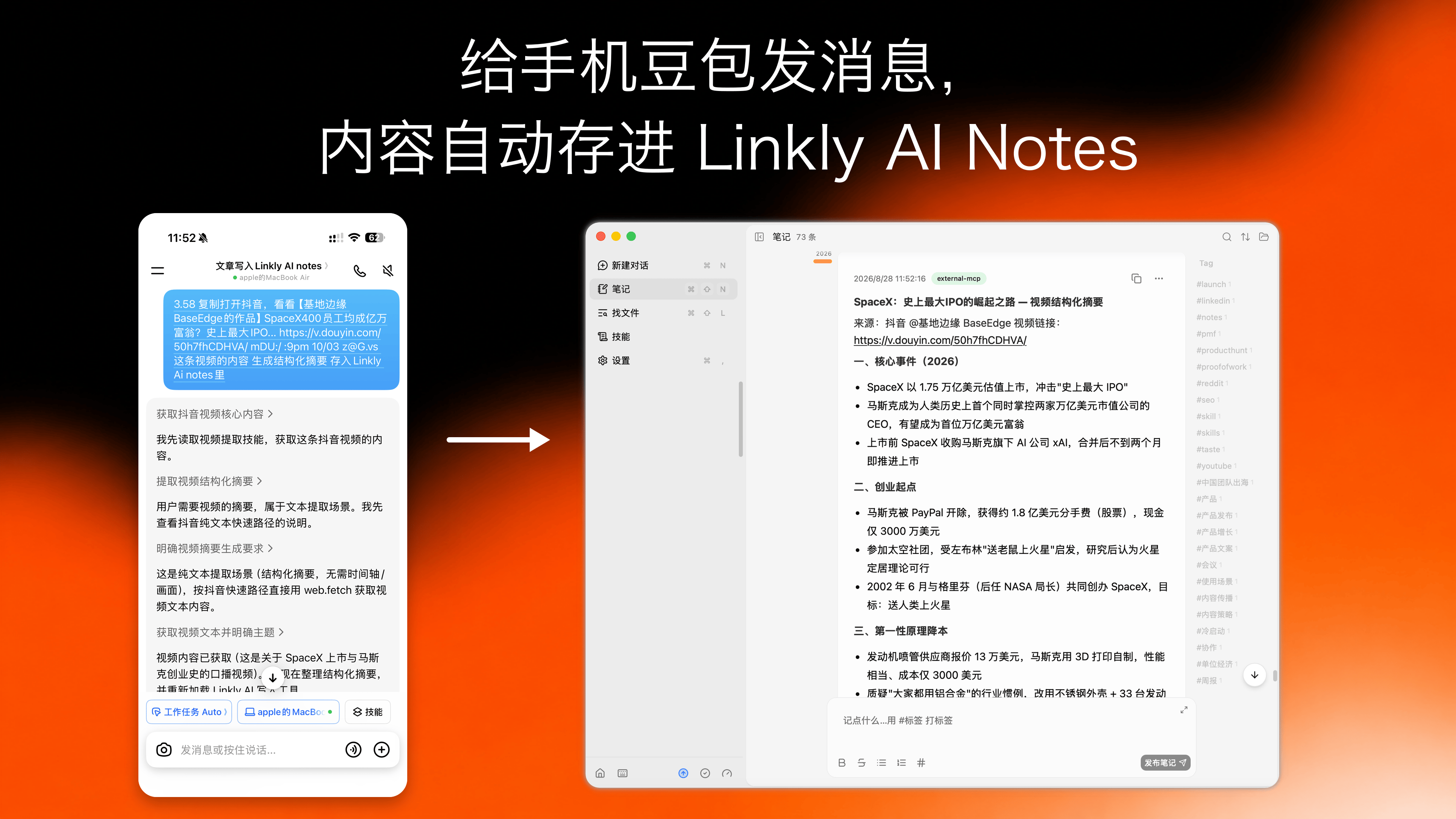
Is your bookmarks folder full of things you were sure would come in handy someday? They look useful when you save them. When you actually need them, you spend ages searching and still cannot find the right one. Try saving them a different way. Connect Doubao on your phone to your computer and enable the Linkly AI connector. When you find a useful video or article, send Doubao the link and say:
Turn this content into a structured summary, keep the original source, and save it to Linkly AI Notes.
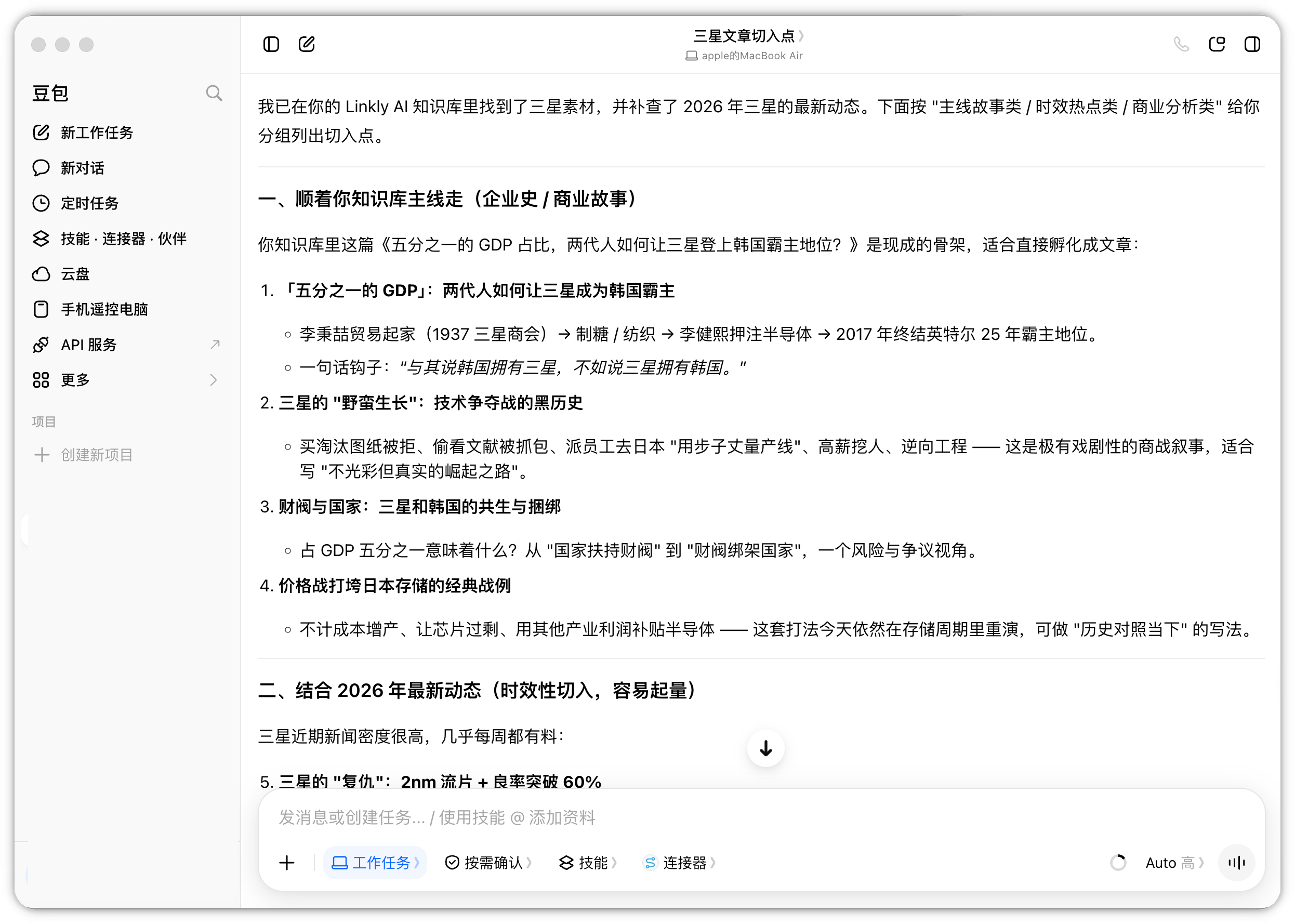
In less than a minute, Doubao saves the summary to Linkly AI Notes. The next time you need it, just ask Doubao or another AI tool to retrieve it. Send a video link to Doubao on your phone and save its structured summary to Linkly AI Notes Here is how one content creator uses this: whenever they come across an interesting video, they send the link to Doubao and ask it to save the material in Linkly AI Notes. When a new article idea comes up, they ask Doubao to find relevant perspectives in those notes. Seeing how others approached a similar question may reveal an angle they had not considered. Material they watched in the past becomes useful when they actually need it. Doubao retrieves saved material through Linkly AI and suggests article topics and angles
Part 2: Read Plenty of Papers, but Still Start from Scratch for Every Literature Review?

For PhD students, one of the hardest parts of writing a literature review is remembering which paper a particular finding came from after reading so many. Imagine a student who has spent two years researching the same topic. Their computer may hold hundreds of papers, research group meeting notes, and several versions of a review draft. Every new paper then brings another substantial task: comparing it with everything they have already read. Linkly AI can serve as an index for this growing research collection. For example, you can ask Doubao:
Which papers I have read before support this conclusion, and which reached different results?
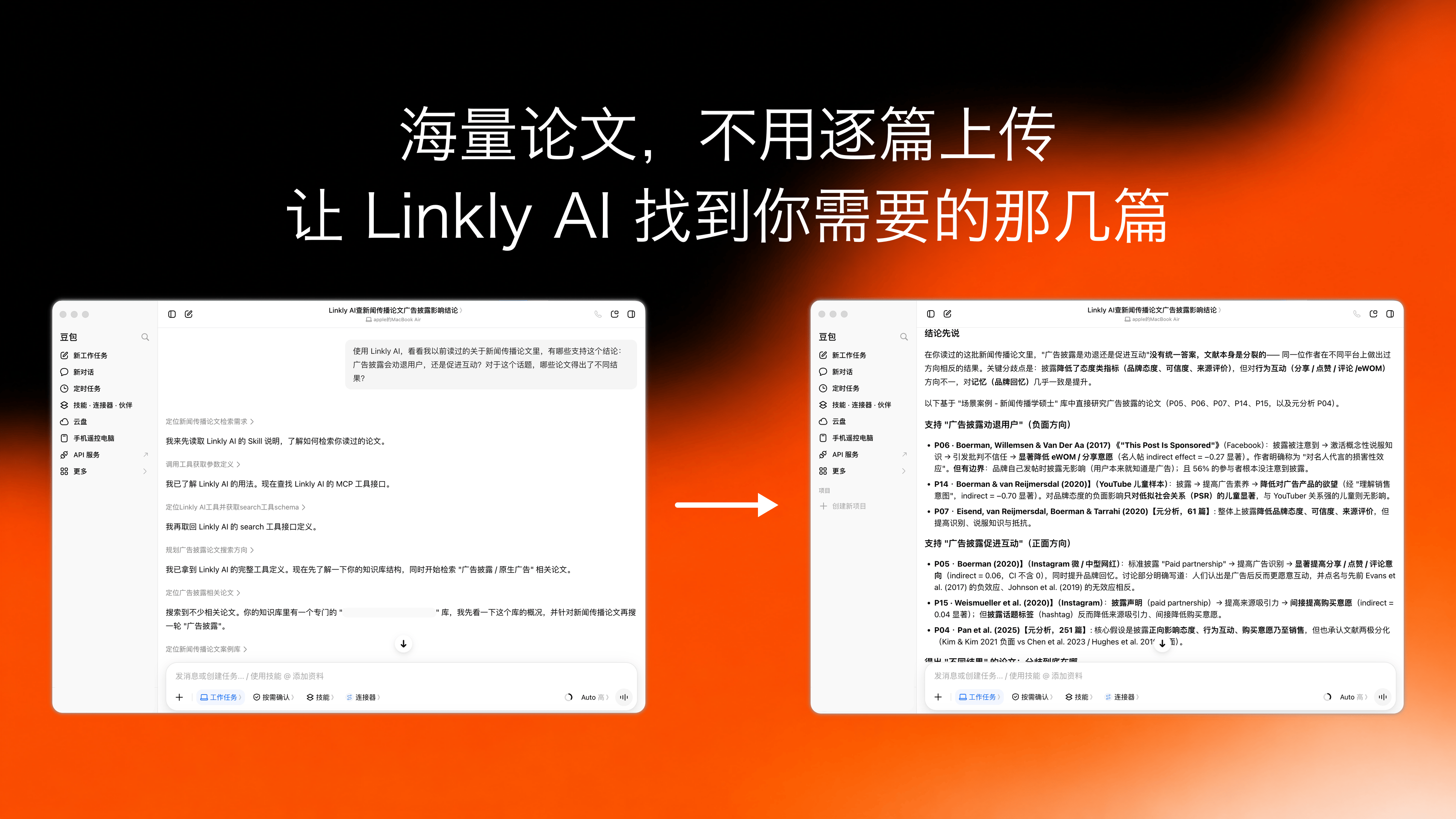
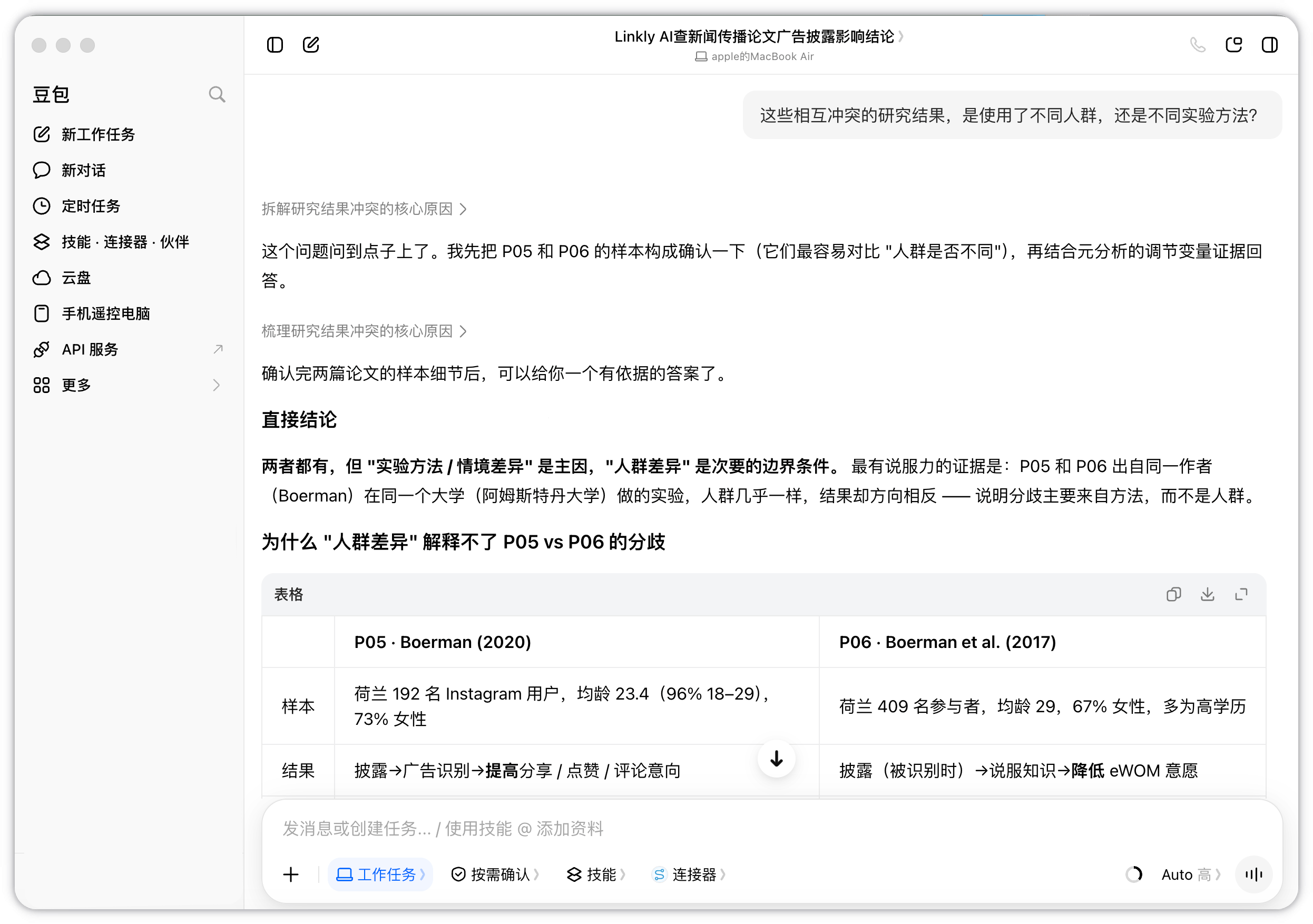
Doubao uses Linkly AI to find papers that support or challenge the same conclusion You can go further and examine whether conflicting findings came from different study populations, experimental methods, or other differences. Doubao compares related papers to identify differences in study populations, methods, and findings Each new paper can then take its place in the context of the research you have followed for years, making that accumulated collection useful to your ongoing work.

Part 3: Organize Years of Teaching Materials for a Professional Title Review

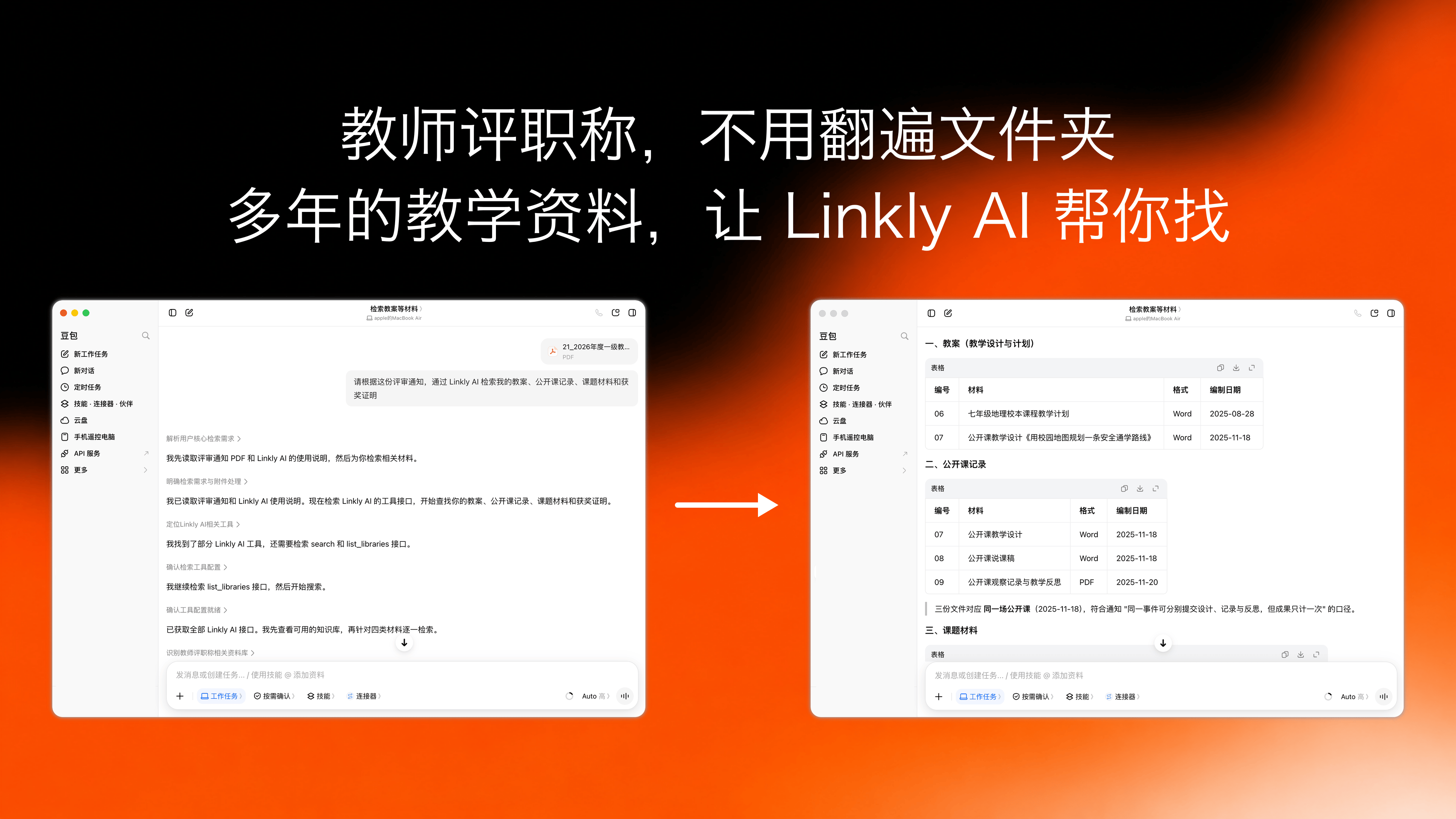
Many teachers are preparing applications for professional title reviews. But gathering the supporting materials often starts with the same frustrating question: where are the files? You can use Linkly AI to search your teaching materials. Ask Doubao:
Based on this review notice, use Linkly AI to find my lesson plans, demonstration lesson records, research project materials, and award certificates.
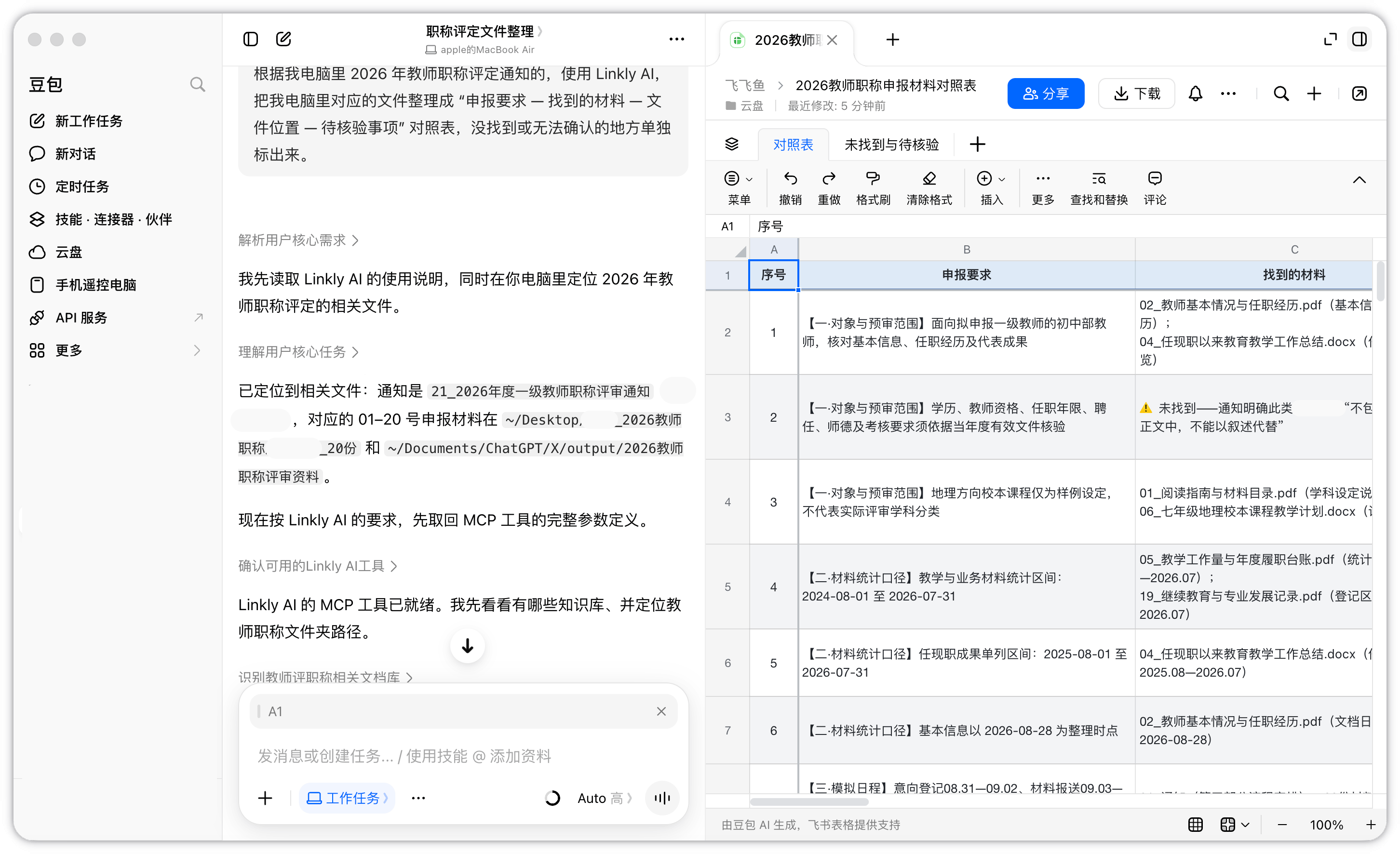
Even if you no longer remember a filename, semantic search can still find the file. If an award certificate was saved as a photo, Linkly AI can use OCR to recognize its text. Doubao uses the review notice to find teaching materials and award certificates through Linkly AI If you have a large collection, ask it to organize the results into a table with four columns: application requirement, material found, file location, and items to verify. Anything missing or uncertain should be flagged separately. Doubao organizes application requirements, supporting materials, file locations, and items to verify into a checklist Once you have checked the results, ask Doubao to use the confirmed materials to compile an achievements list and draft a summary of your teaching work.
Part 4: Get Started

As AI becomes part of everyday work, context is becoming one of our most valuable personal assets. Connecting Linkly AI lets the knowledge and experience you have accumulated enter your daily workflow, where AI can find and use them when you need them. Useful content you come across and ideas you jot down can all become context that Doubao and other AI tools can retrieve for your next writing or research project. For setup instructions, see the guide to connecting Doubao Work with Linkly AI (in Chinese).