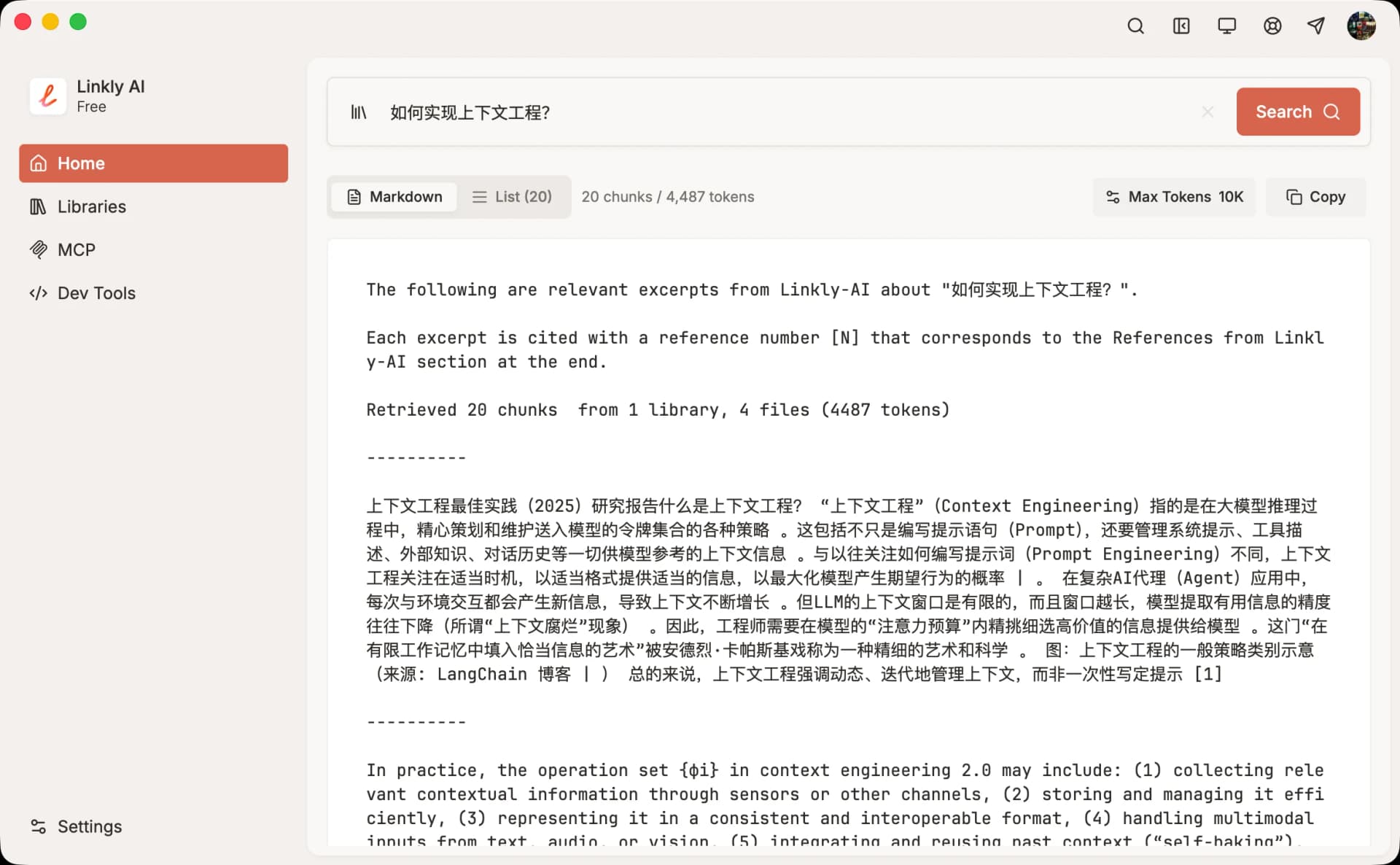
Linkly AI: Link AI to Your Folders
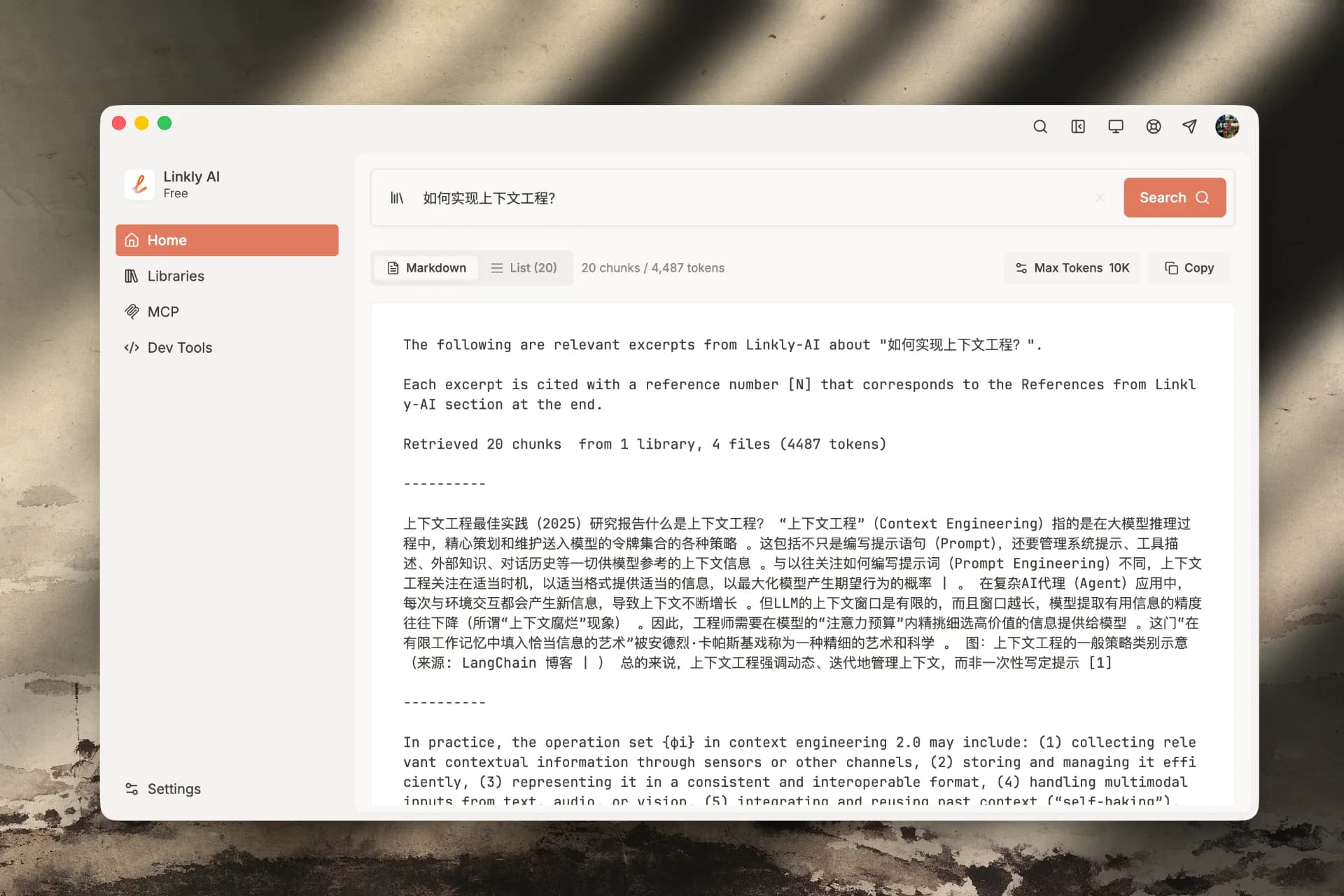
We're excited to introduce Linkly AI—a local knowledge base client designed for the AI era.
Over the past 2-3 years, we've witnessed the rapid evolution of AI assistants. Tools like ChatGPT and Claude have become essential companions in many people's daily work. However, these powerful AI tools share a common limitation: they can't effectively access the knowledge assets stored on our local computers.
Linkly AI was built to solve this problem.
#What is Linkly AI
Linkly AI is a locally-running AI knowledge base client. Its core mission is simple: transform your local folders into context that any AI application can use.
You don't need to change your existing workflow or switch to a new AI chat tool. Linkly AI runs quietly in the background, automatically monitoring your designated folders, parsing and indexing documents to build a knowledge base that AI can understand. When you ask questions in ChatGPT, Claude, or any other AI application, these AI assistants can retrieve your local knowledge directly via the MCP protocol, or quickly grab context through our launcher.
The entire process happens on your computer—uploading data to the cloud is optional.
#Core Capabilities
- Smart Document Processing. Linkly AI supports common document formats including PDF, Word, Markdown, and plain text from your local computer. Once you add a folder to your knowledge base, the system automatically identifies and processes the documents within—no manual intervention needed. File additions, deletions, and modifications are monitored in real-time, keeping your knowledge base always up to date.
- Hybrid Retrieval Technology. We employ hybrid retrieval and an innovative TOC index tree to precisely deliver AI-ready context. For scenarios requiring higher precision, you can enable reranking and DeepResearch for more accurate context. Every search result includes complete source citations, allowing you to quickly trace back to the original documents.
- Open Integration. Linkly AI provides services through the MCP (Model Context Protocol) standard, meaning it seamlessly integrates with all MCP-compatible AI applications. Currently verified support includes local applications like Claude Desktop, Cursor, and Cherry Studio. Through our unique remote connector, it also supports AI web applications like Claude.ai and ChatGPT.com.
- Quick Search Launcher. Beyond MCP integration, we offer a global hotkey-activated search launcher. You can instantly search your knowledge base anytime and copy relevant context wherever you need it.
#Our Commitment
Local-First. All data is stored on your own computer. We offer an optional account system for syncing configurations, but your core knowledge base data always stays local. Tech-savvy users can even run completely offline with local models.
Low-Cost Usage. The Linkly AI client and core features are completely free. You only pay when you choose to use our cloud computing services, and you can always connect to other model providers instead.
Data Openness. We don't lock in your data. Your knowledge base's original files remain in your local folders, and index data is stored in standard formats. You can export or migrate to other tools anytime.
Focused Purpose. Linkly AI isn't yet another AI chat app or note-taking software. We focus on doing one thing well: being the bridge between your local knowledge and AI applications.
#Supported Platforms
Linkly AI currently supports macOS, Windows, and Linux—the three major desktop platforms. After public beta launches, you can download the appropriate version from our website and be up and running within minutes.
#Get Started
If you're looking for a way to let AI assistants understand and leverage the knowledge assets you've accumulated over the years, give Linkly AI a try.
Visit linkly.ai to download the client, or check out our documentation for more details.
We look forward to your feedback.